Brandfolder is a strong DAM for enterprise marketing teams — solid brand governance, metadata management, and distribution. But since its acquisition by Smartsheet, it's increasingly built for a specific kind of buyer: one with a procurement team, a sales process, and a multi-week onboarding window.
For creative and marketing teams evaluating their options — whether you're a growing brand, an agency, or an enterprise team that's outgrown what you have — the better question is: do you need a platform built primarily around distributing finished assets, or one that supports the entire workflow from first draft to final delivery?
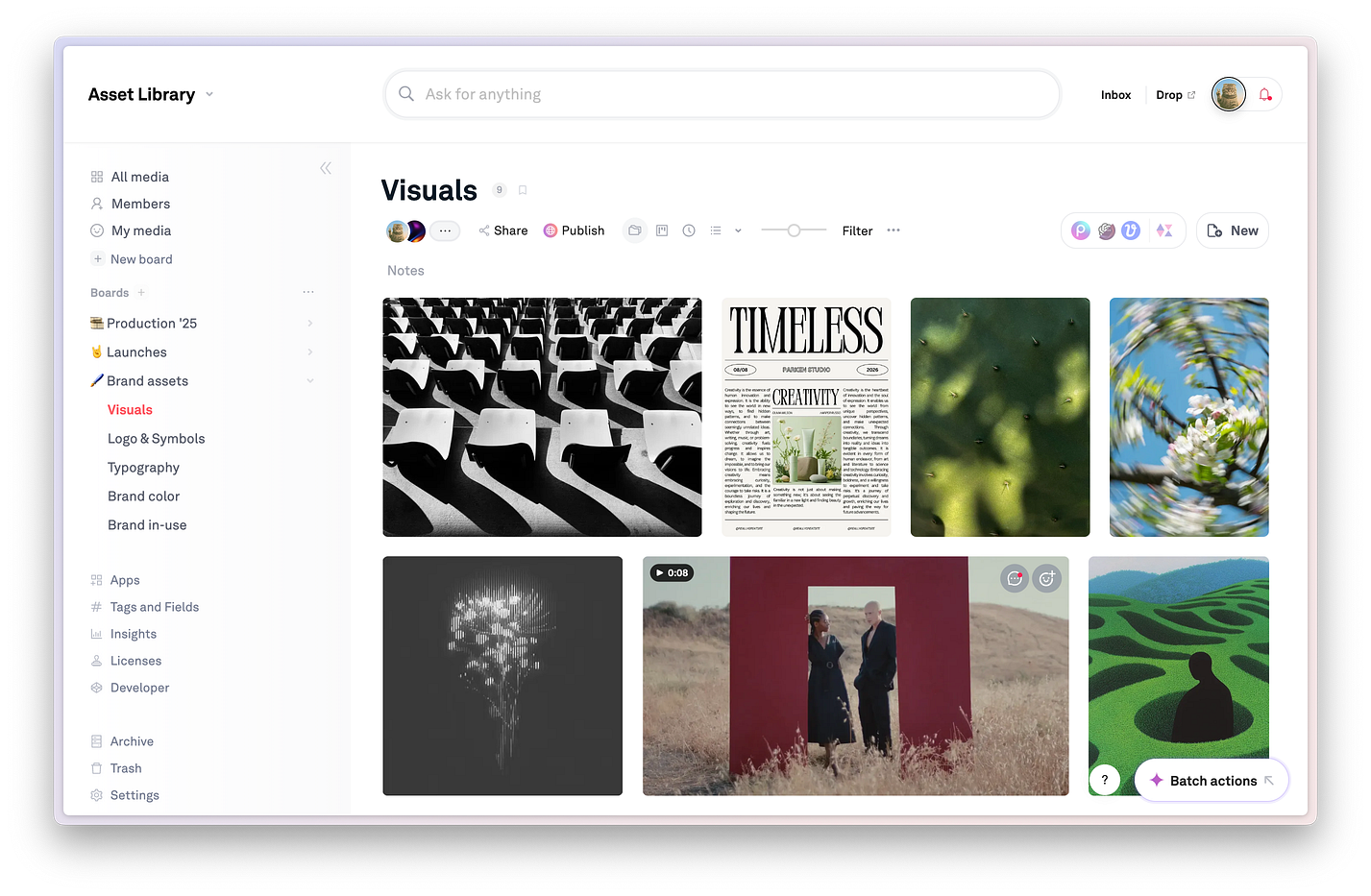
That's where Playbook fits in. Where Brandfolder is built around governance and distribution, Playbook is built around how creative work actually happens — from first draft to final delivery. Enterprise-ready when you need it to be, without the enterprise overhead when you don't.
Playbook vs. Brandfolder
More than an asset library — a home base for complete creative workflows
| Playbook | Brandfolder | |
|---|---|---|
| Pricing and accessibility | ||
| Pricing transparency | ✅ Fully transparent pricing starting at $12/month | ❌ No public pricing. Custom quotes only — expect a sales process |
| Free plan | ✅ Free plan with 100GB and up to 300 assets | ❌ No free plan. Demo or sandbox only, gated by sales |
| Storage | ✅ Teams start with 5TB | ⚠️ Custom; storage tiers negotiated per contract |
| Accessible for smaller teams | ✅ Designed for teams of all sizes from day one | ⚠️ Pricing starts ~$1,600/month. Primarily enterprise-oriented |
| Onboarding and ease of use | ||
| Ease of getting started | ✅ Self-serve. Start immediately. No sales calls required. | ❌ Sales-led evaluation process. Onboarding guided by their team |
| Onboarding | ✅ Not gated by demos. Get started and import assets same day. | ⚠️ Structured onboarding; plan for weeks, not days |
| Implementation | ✅ Instant import from Google Drive, Dropbox, and more. Custom migration support on Enterprise. | ⚠️ Upload-based setup; implementation costs can add significantly to base pricing |
| Feature set | ||
| Core product | ✅ Digital Asset Management (DAM) + full creative workflow platform | ⚠️ Enterprise DAM focused on brand asset storage and distribution |
| AI capabilities | ✅ AI-powered image and video search, smart tagging, OCR, scene detection, and built-in AI chat | ✅ AI-powered tagging and Brand Intelligence analytics |
| Search experience | ✅ Conversational AI search — find any asset and immediately take action on it | ⚠️ Strong keyword and metadata search; less conversational or action-oriented |
| Search → action workflow | ✅ Find, organize, tag, group, share, and publish in one place | ⚠️ Find and distribute finished assets; less built for workflow action on results |
| Asset management | ✅ Videos, images, Adobe files, PDFs, docs, and full campaign libraries | ✅ Broad asset type support with strong brand governance |
| Video workflows | ✅ Preview, scrub, collaborate on, and manage video alongside all other assets | ⚠️ Limited video workflow support; weaker for teams producing video content |
| Tagging and metadata | ✅ Flexible tags + custom fields + editable AI tags, no rigid taxonomy required | ⚠️ Strong AI tagging; custom metadata options can be constrained by enterprise structure |
| Version control | ✅ Version history with side-by-side comparisons built in | ⚠️ Some version control; noted by users as a gap for asset revisions |
| Collaboration & review | ✅ Comments, approvals, and review workflows built into one workspace | ⚠️ Collaboration features present; less built for iterative creative review cycles |
| Sharing and presentation | ✅ Share links, branded pages, templates, and presentation-ready publishing | ✅ Strong brand portals and asset distribution to partners and stakeholders |
| SSO & enterprise security | ✅ SSO, advanced permissions, locked boards, and audit controls on Enterprise | ✅ SSO and enterprise security controls available |
| API and integrations | ✅ SDK and API on Business plans. Custom workflow builds in weeks. | ✅ 30+ integrations; API available with some developer-reported limitations |
| Custom migration support | ✅ Dedicated migration and change management support on Enterprise | ⚠️ Available but can add significant cost to implementation |
| Product velocity | ✅ Feature requests and custom workflows shipped in weeks | ⚠️ Enterprise roadmap cycles; slower to respond to individual team needs |
| Best for | Creative and marketing teams of all sizes — from startups to enterprise — that need one place to search, organize, collaborate, and publish | Enterprise marketing and brand teams managing finished assets at scale within a Smartsheet workflow environment |
| Supports AI-powered search | ✅ Yes — conversational search with built-in AI chat to act on results | ✅ Yes — keyword and AI-assisted search with Brand Intelligence analytics |
| Creative workflow support | ✅ End-to-end: organize, review, iterate, share, publish, and present | ⚠️ Strong on distribution; less depth for active creative workflows |
Why Teams Choose Playbook
1. Start today. No month-long sales process, no waiting
One of the most consistent frustrations with enterprise DAMs like Brandfolder is just getting started. There's no public pricing, no self-serve signup, and a sales and onboarding process that can stretch for weeks before your team sees the inside of the product.
Playbook is the opposite. Team plans start at $25/member/month with free trial available, and you can import from Google Drive or Dropbox and have your library running the same day. For teams that know what they need, the ability to start without a contract negotiation is a meaningful difference.
2. AI that helps you find AND act
Both Playbook and Brandfolder use AI to tag and surface assets. The difference is what happens after you find something.
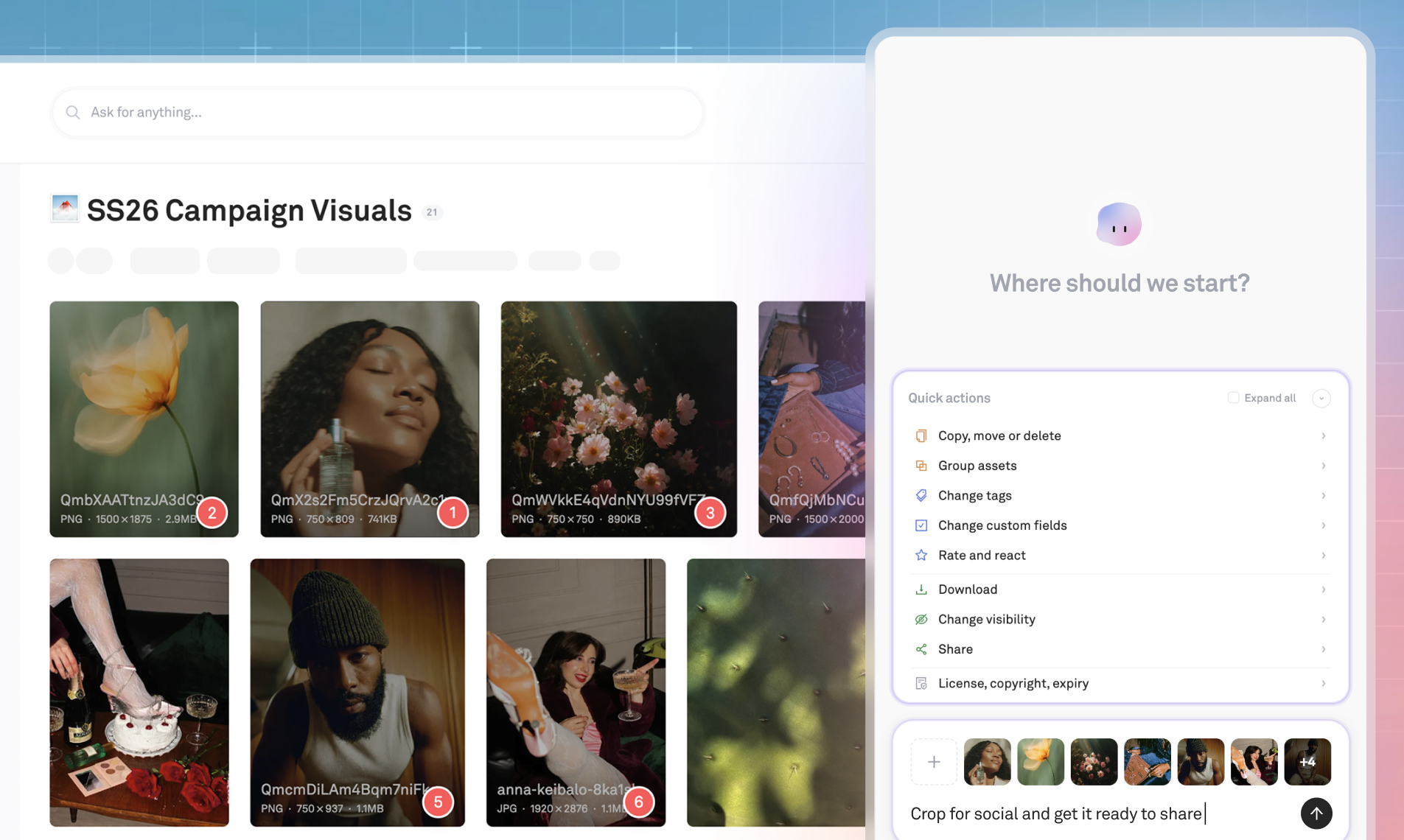
With Playbook Intelligence, you can tell your files what to do — add tags, remove backgrounds, batch-organize — directly from a chat prompt built into your workspace. You can restructure your entire library with AI-generated suggestions, or run a search like "find all images with silver bracelets and create a shareable board" and have it execute in one step.
Brandfolder's Brand Intelligence is useful for analytics on how assets are being used. Playbook's AI is built for what comes before that- getting assets organized, findable, and actionable in the first place.
👉 AI becomes a thought partner and execution layer, not just a search index
3. Built for the whole creative process
Brandfolder is strongest as a distribution layer for approved, final assets. That's a real and valuable use case. But most creative and marketing teams need a platform that supports the work that happens before final approval too.
Playbook handles both: boards that mirror campaigns, shoots, and launches rather than rigid folder trees; draft → review → approval in a single workspace; and final delivery via branded client portals and publish-ready templates.
Warner Brothers Sports uses Playbook to manage global campaigns, review cycles, and brand guidelines across their European operations. By centralizing assets and eliminating version chaos, they reduced review cycles and cut inbound asset requests to their design team by 50%.
👉 Read the WBD Sports case study →
4. Enterprise-ready, but built to move fast
Brandfolder is an enterprise product. So is Playbook, but with a fundamentally different philosophy about what enterprise means for creative teams.
Playbook's Enterprise plan includes SSO, advanced permissions and locked boards, custom metadata rules, cross-team access controls, dedicated migration and change management support, and a full SDK and API for custom integrations. The same security, reliability, and governance controls you'd expect from a legacy DAM.
The difference is velocity. Playbook ships feature requests and custom workflow builds in weeks, not quarters. If your team has a specific workflow need, you're talking to a team that can actually build it on your timeline.
Opendoor scaled their brand asset system from 100 to 2,500 employees on Playbook. As their design team grew and the volume of incoming asset requests became unmanageable, Playbook gave them a system where the rest of the company could self-serve on what they needed, turning "Here's the asset you requested" into "Let me show you how to best use this asset."
"Playbook creates a place that's extremely user-friendly. It allows us to empower people on a more regular basis without having to be knee-deep in anyone's project."
— Tirza Molina, Marketing Lead at Opendoor ·
Read the full Opendoor case study →
5. Video workflows and iterative review built in
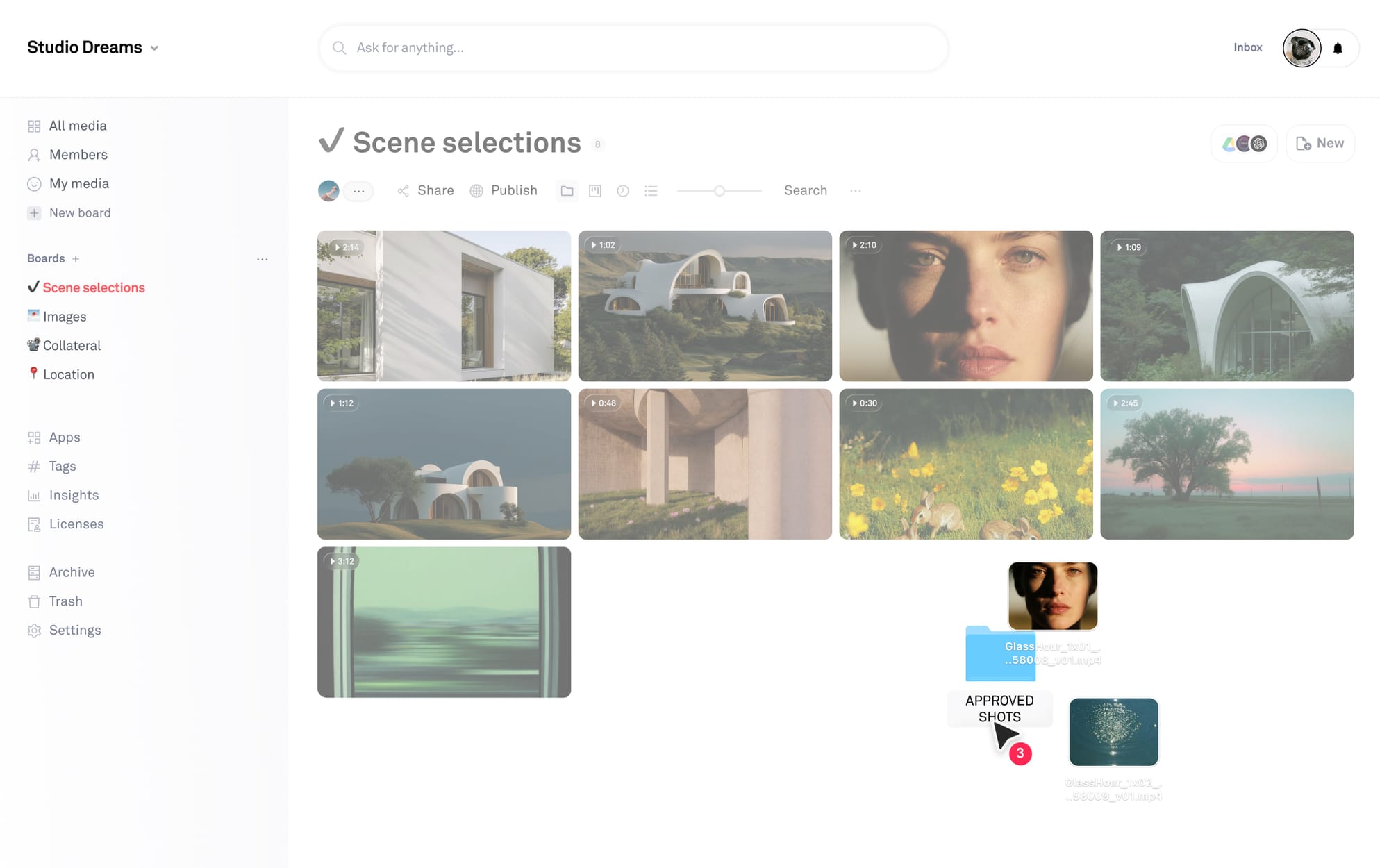
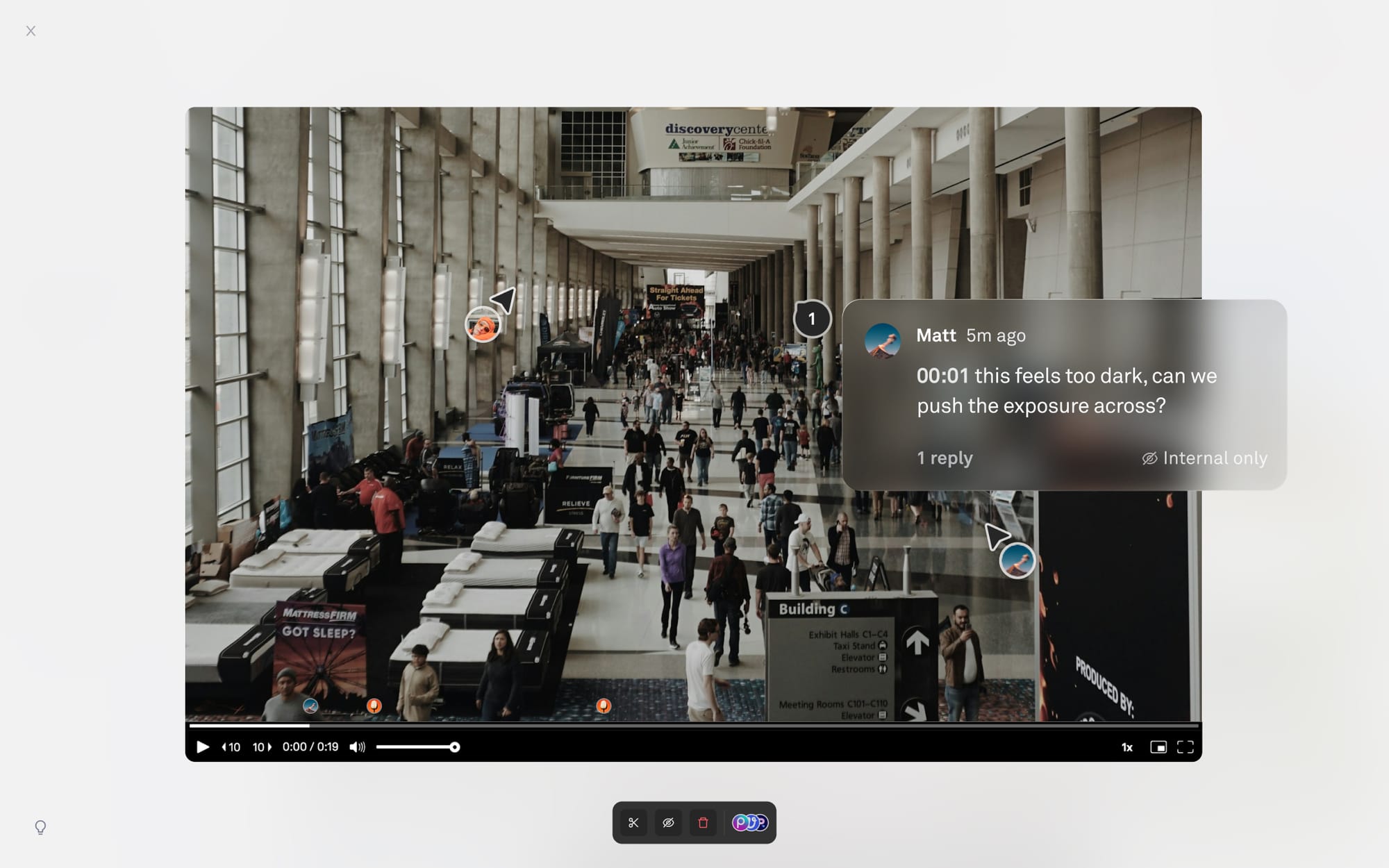
If your team produces video content, Brandfolder's limitations become apparent quickly. Playbook supports end-to-end video workflows alongside all other asset types: preview and scrub footage in the browser, collaborate with frame-level comments, compare versions side by side, and organize clips across shoots, edits, and final deliverables.
Version control more broadly is an area where teams switching from Brandfolder consistently notice the difference. Playbook's side-by-side version comparisons and activity history mean nothing gets lost across revision rounds.
👉 See how Playbook supports media and entertainment teams →
6. Define your system once and automate the rest
Instead of relying only on AI guesses, Playbook lets you set board rules that require specific metadata fields or auto-apply tags on upload — so your library stays organized as it scales, without manual policing.
For enterprise teams managing assets across multiple divisions, partner organizations, or retail channels, this is the difference between a library that holds its structure and one that gradually degrades as team members add files their own way.
👉 See how other teams use Playbook →
Frequently Asked Questions
What is the best Brandfolder alternative for creative teams?
Playbook is a strong Brandfolder alternative for creative and marketing teams who need more than enterprise asset distribution. It combines AI-powered search across all file types, smart tagging, visual asset organization, review and approval workflows, video management, branded client delivery portals, SSO, and API/SDK access — all in one workspace that's self-serve for smaller teams and enterprise-ready for larger ones.
How does Playbook compare to Brandfolder?
Both platforms manage digital assets with AI-powered tagging and search. The key differences: Playbook has transparent, accessible pricing. Playbook supports iterative creative workflows — drafts, reviews, version comparisons — where Brandfolder is primarily built for distributing finished assets. Playbook also ships feature requests and custom workflow builds in weeks, includes dedicated migration and change management support at the enterprise tier, and has a full SDK and API for custom integrations.
How would we migrate files to Playbook?
On Business and Enterprise plans, Playbook offers white-glove migration support. A dedicated team handles the full migration process, from asset transfer to change management, so your library arrives organized and your team is set up to hit the ground running. Talk to the team to discuss a migration →
Is Playbook enterprise-ready?
Yes. Playbook's Enterprise plan includes SSO, advanced permissions and locked boards, custom metadata rules, dedicated migration and change management support, and a full SDK and API for custom integrations. Customers like Warner Brothers Sports, Stubhub, and Opendoor use Playbook at scale. The key difference from legacy enterprise DAMs is velocity: Playbook ships new features and custom workflows in weeks, not quarters.
Is Playbook free to try?
Yes. Playbook has a self-serve team trial you can start for free at playbook.com/sign-up just by signing up with your company email. See full pricing at playbook.com/pricing.