
The Playbook client gallery API lets your own app or CRM spin up a branded, permissioned gallery the moment a project starts. One request creates a board of selects. Another turns it into a public, logo-stamped page with its own slug. Link controls lock it down with a password, an expiry date, and a watermark. Approvals decide what the client actually sees. When they sign off, you pull full-resolution originals back through a signed download URL. No gallery UI to design, host, or babysit.
Treat a client gallery like a database row
A client gallery should be as cheap to create as a database row. With the Playbook API it is. Every time your CRM books a shoot, your app opens a job, or an automation fires on a closed deal, one call leaves a fresh gallery standing: branded, gated, and live at its own permalink. Nobody drags files into a web tool. Nobody duplicates a template by hand. The gallery becomes a side effect of the work starting, one per client, one per project, as many as you ship.
Permissions are the feature, not the fine print
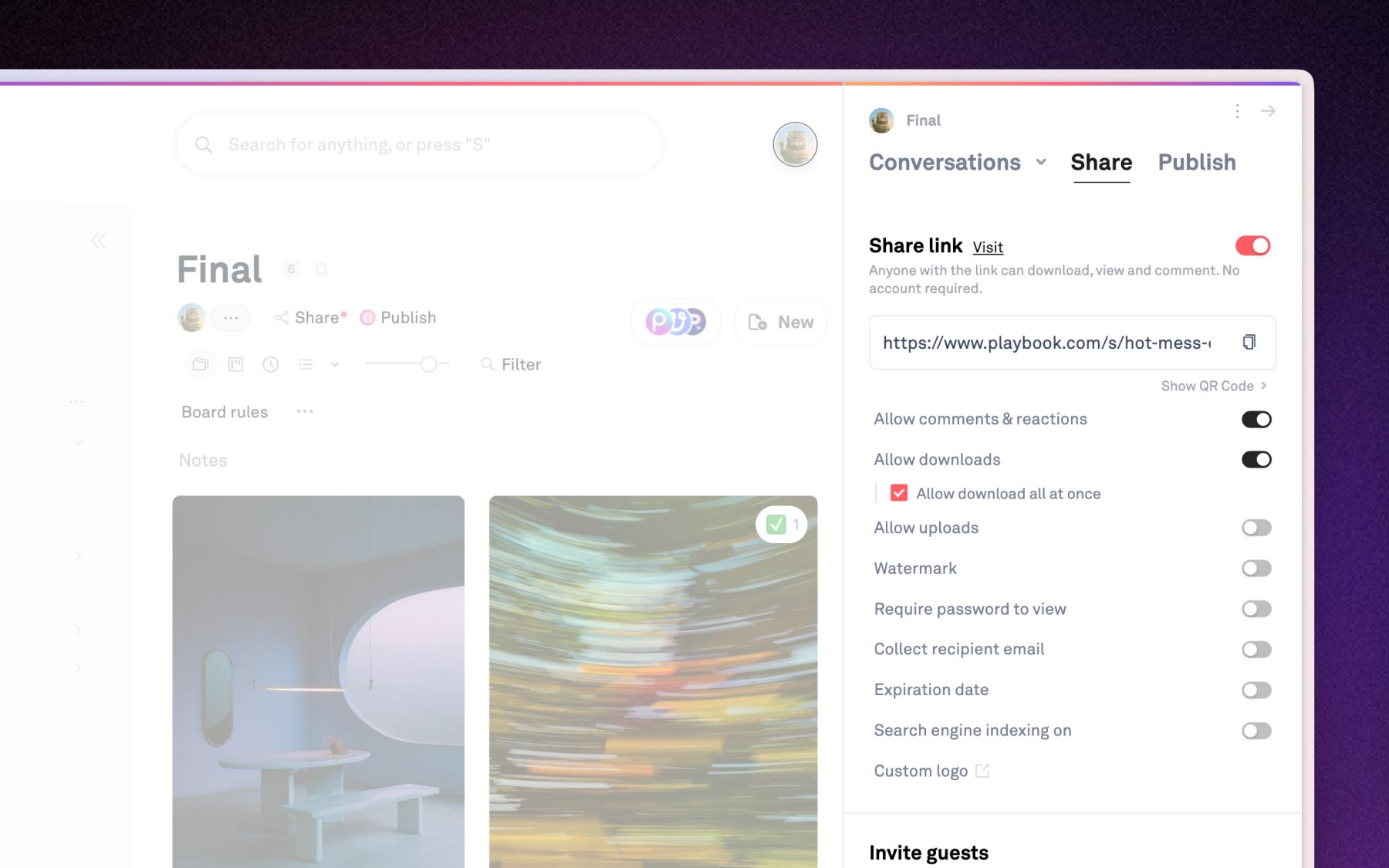
A raw public link is all-or-nothing. A client gallery API request is not. On every share you set a password, an expiration, and a watermark, then toggle downloads, comments, and uploads independently. Approvals gate visibility at the asset level, so a single board can hold rough cuts next to final deliverables while the client only ever sees the approved set. Flip an asset to approved and it appears. Pull it back and it is gone. The client never knew the rest was there.
What powers a client gallery API call
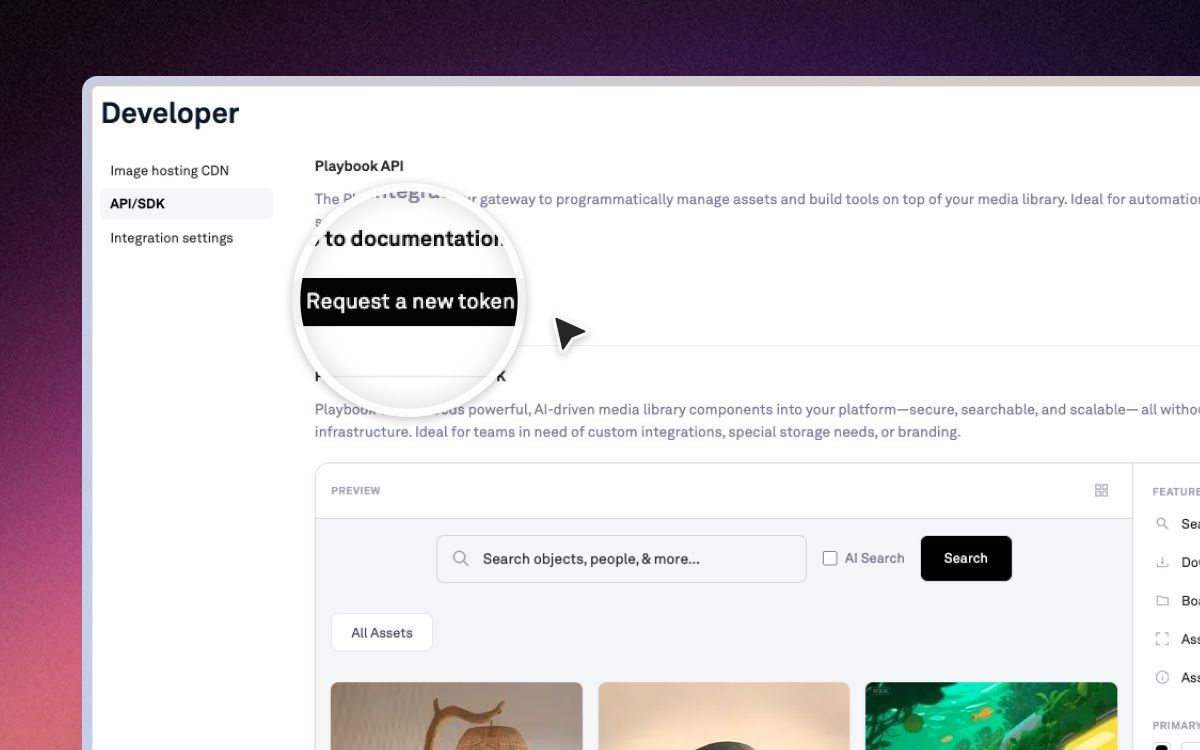
Four endpoints carry the whole workflow, straight from the client gallery example in the docs:
- Create the board of selects:
POST /v1/$ORG/boards - Mint the client-facing link and slug:
POST /v1/$ORG/boards/{board_id}/share - Pull threaded feedback (each comment can carry replies):
GET /v1/$ORG/assets/{asset_token}/comments - Deliver approved originals through a signed URL:
GET /v1/shared/$ORG/assets/{asset_token}/download?sharedlinkslug={slug}
On top of those sit the pieces that make the page feel like your product, not ours: a custom slug, logo, and cover image for branding; password, expiry, watermark, and per-action toggles for link controls; asset-level approvals; and permanent CDN permalinks so a delivered file can also live inside the client's own portal. Every asset carries two URLs, raw_url for the original and display_url for the preview, so galleries stay light until sign-off.
Built for teams that deliver at volume
The math turns hostile fast. An agency like Dorst & Lesser moves roughly 400 assets a week across 40 active clients. When every client needs its own gated, on-brand front door, minting those galleries by hand stops scaling around client number five. Minting them by API does not. "Speed is very important because we are in the social business," says co-founder and creative director Robert Withagen. For creative agencies shipping daily, the gallery has to keep pace with the pipeline, not throttle it.
Developer FAQ
Which plan includes API access?
Developer access to the REST API starts on the Pro plan and up at the time of writing, with monthly call volume rising by tier. Confirm the current limits on the pricing page before you build against them.
Does one gallery per client cost me a seat per client?
No. Everyone you invite to a gallery is a guest, and guests never take a paid seat. Paid plans include unlimited guests at the time of writing, so one gallery per client scales without your bill tracking your client list.
Can the gallery carry my brand instead of Playbook's?
Yes. Each published gallery takes a custom slug, your logo, and a cover image, so the page reads as your product. Link controls and approvals sit on top of that branded surface.
How do clients get full-resolution files only after approval?
Gate the assets with approvals, then call the signed download endpoint with the share slug. It returns the original's raw_url while the gallery keeps serving light display_url previews until sign-off. Approval controls what downloads, not just what shows.
Your app already knows when a project begins. Let it hand the client a finished gallery on the way out.
Schedule a demo to see the Playbook API running inside your delivery flow.