
Sharing controls & protection
Learn how to manage downloads, set expirations and add extra protection to your shared boards.
You have total control over what a visitor can see, do, and download once they open your shared link. This ensure you work stays secure while provided a frictionless experience for your clients.
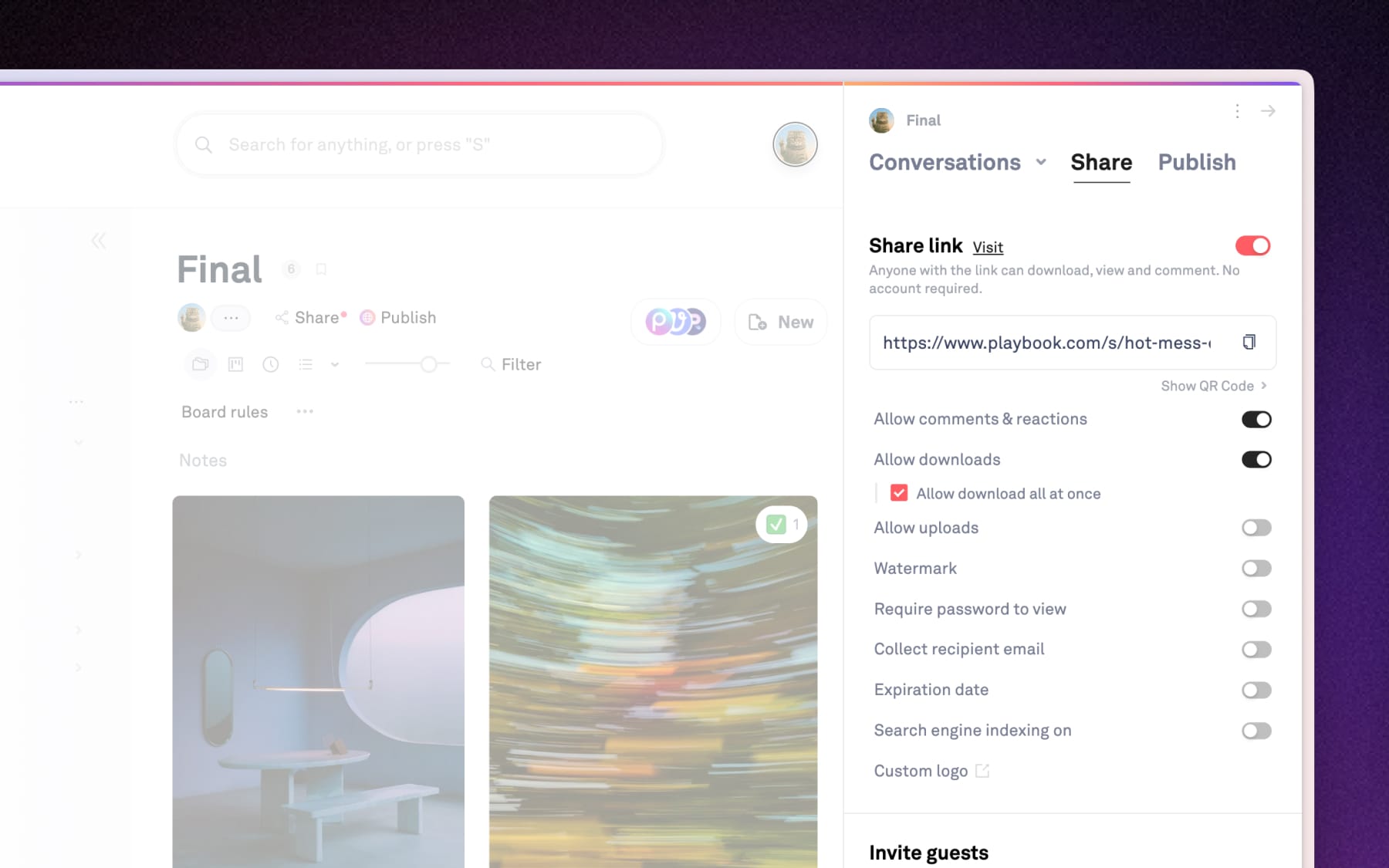
Interactions & download controls
Sometimes you want a collaborator to upload files; other times, you want a client to only view them.
- Allow comments & reactions: Turn this on to let viewers give feedback or react without needing a Playbook account.
- Allow downloads: You can toggle this off to keep your work "view-only," or enable "Allow download all at once" so visitors can download entire shared board at once.
- Allow uploads: Perfect for vendors or clients to need to send files back to you. Just enable it and share the link so visitors can easily drag and drop to upload without having to access your workspace or creating an account.
Security & access layers
For sensitive projects, you can add "lock and key" protections to your links to ensure your work doesn't end up in the wrong hands.
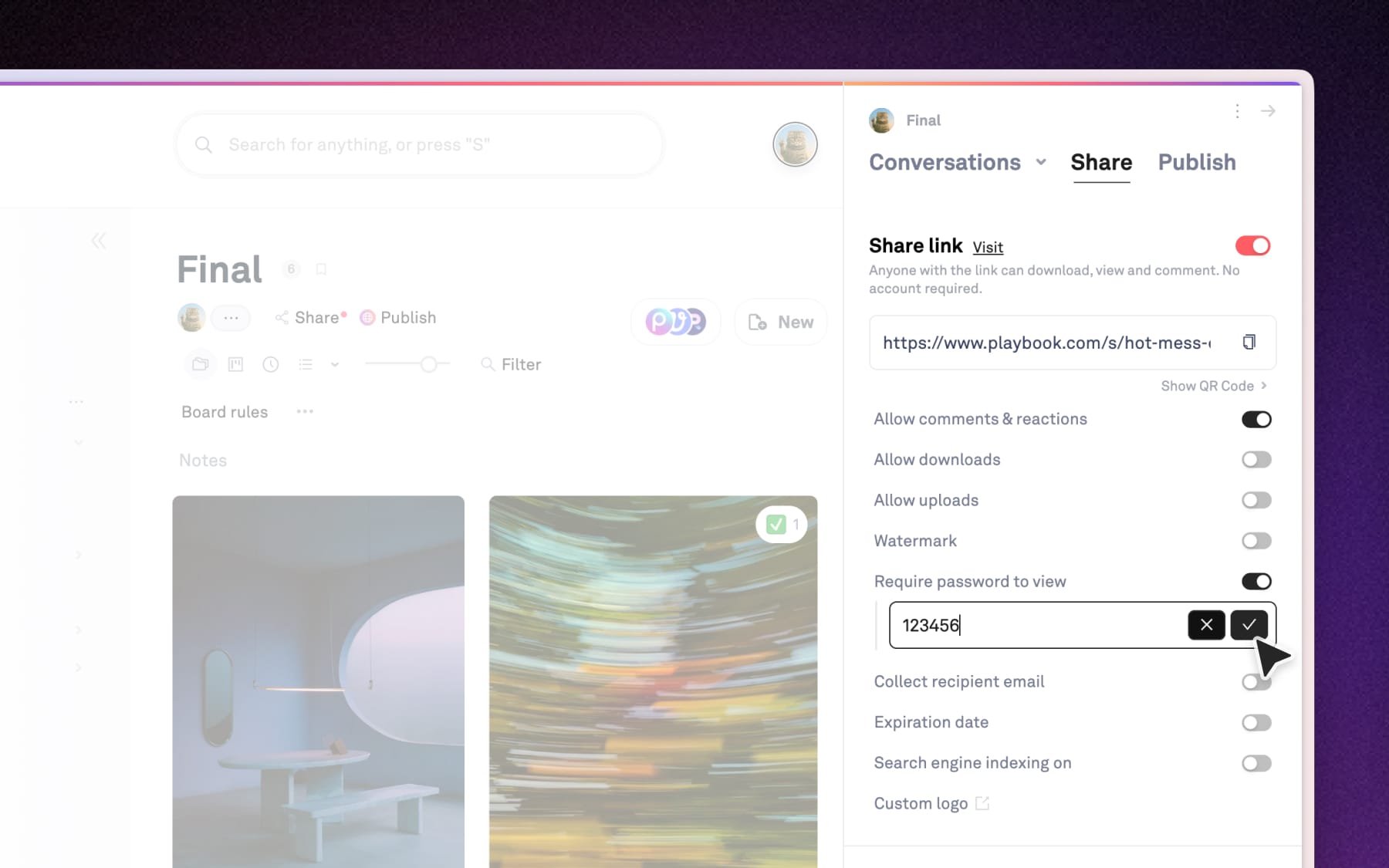
- Require password to view: Set a unique password that visitors must enter before seeing the board.
- Collect recipient email: This allows you to track exactly who is accessing your work by requiring visitors to enter their email address first/
- Expiration date: Set a "self-destruct" date for the link, which is ideal for time-sensitive reviews.
- Search engine indexing: Keep your board off of Google by toggling this off, or turn it on if you want your board to be discoverable.
Brand & IP protection
If you are sharing unfinished work or proofs, use these tools to protect your creative rights.
- Watermark: Automatically apply a text-based watermark of your choice to all images and videos viewed through the link to prevent unauthorized use. Turning on watermark would also disable Download.
- Custom logo: Replace the Playbook in the left sidebar with your own logo for all future shared links.