
A brand portal API turns your logos, guidelines, and approved assets into a live endpoint your whole company and your outside partners can pull from. With Playbook, you filter a board down to approved assets, publish it as a public gallery, and embed it as a self-refreshing iframe. Change the source board, and every downstream site updates itself. No zip files, no stale logo folders, no ticket queue. You build it once, then let governance and the API keep it current.
The logo folder is where brand consistency goes to die
Every stale brand asset starts as a well-intentioned zip file. Someone exports the kit, drops it on a shared drive, names it brand_final_v3, and emails the link to twelve people. Six months later a partner ships a deck with last year's color, and nobody can say which copy was canonical.
Your brand is not a folder. Your team's creative work is a living, breathing beast, and a folder of frozen exports asks the beast to hold still. A brand portal built on an API does the opposite: it treats the approved set as a query result, not a download.
Schedule a demo to see a live portal pull from a real workspace: playbook.com/contact.
Publish once, and let it update itself
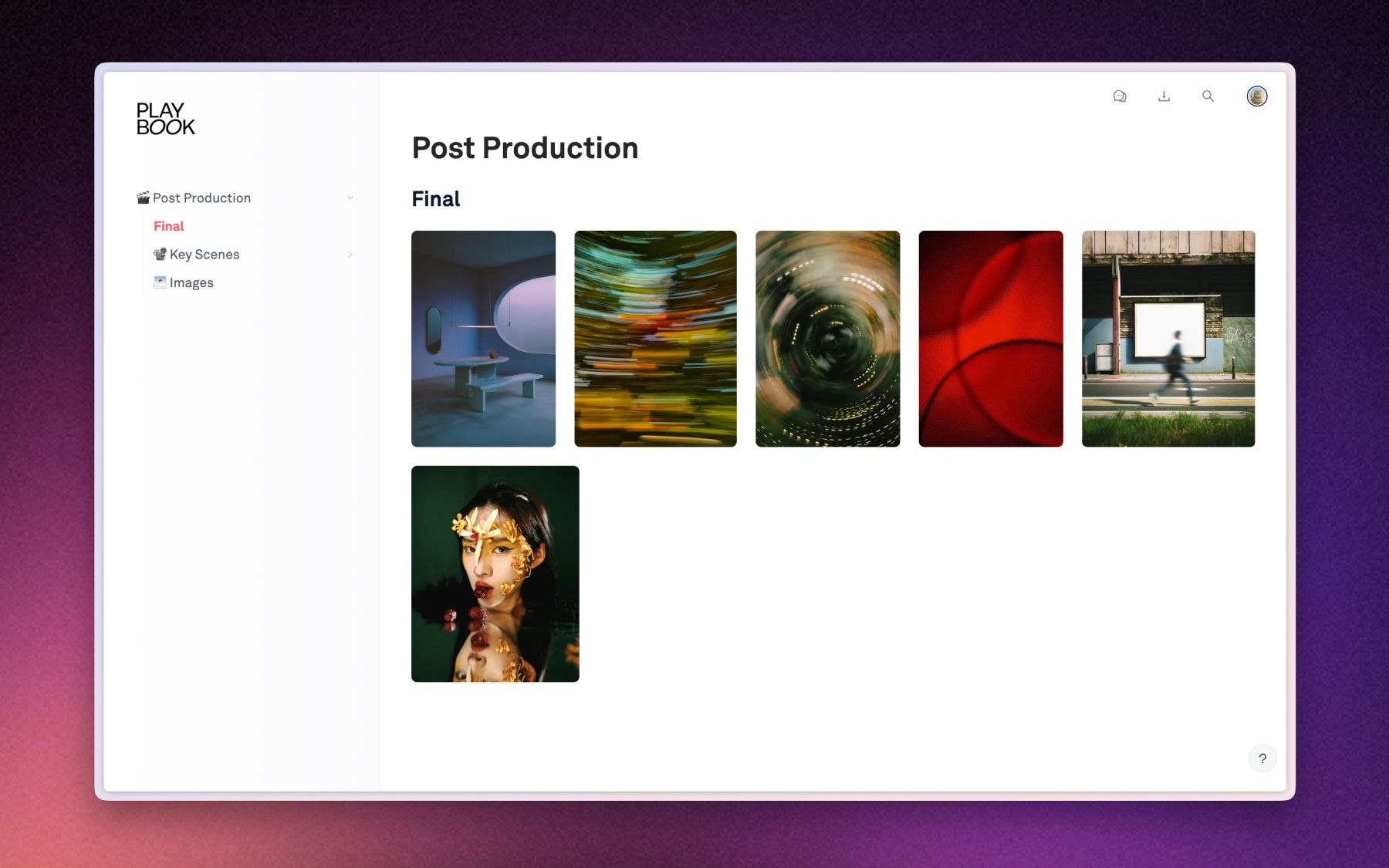
A Playbook brand portal is one board, published to a URL, that reflects its source in real time. You point the API at the board, filter to what is cleared, and hand out either a public gallery link or an embed. When the brand team swaps a lockup or retires an old font, the portal and every iframe that renders it change on their own.
WBD Sports runs exactly this pattern. Its team publishes brand portals to distribute logos, lockups, and usage guidelines to TNT Sports, Eurosport, and Bleacher Report across dozens of markets, sitting on a 10,000-plus asset repository. After moving to Playbook, WBD Sports cut legal review from four rounds to two and dropped internal asset requests by at least half. The portal is the reason a market team stops asking for files: it already has the current ones.
Governance belongs at the door, not in a review meeting
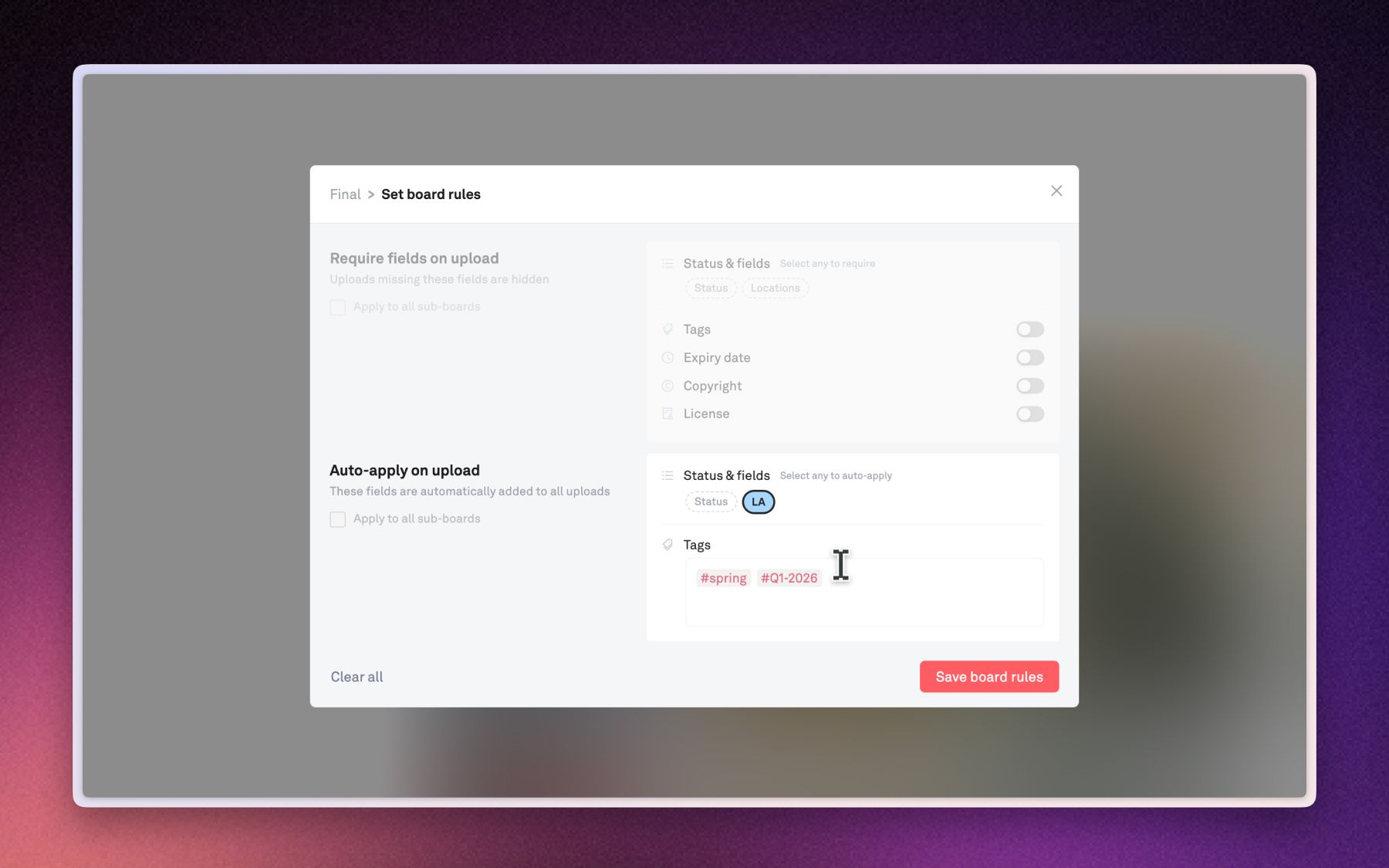
Board upload rules apply your metadata the moment a file lands, so nothing reaches the portal unlabeled. You can auto-apply tags and a status to every upload, and require a license, copyright holder, or expiry date before an asset is considered complete. Files missing required info stay hidden, even on a shared link, until someone fills them in.
That is the quiet part of a good digital brand hub: the rules run without a human policing them. Add scoped tokens, org roles, and link controls (password, expiry, watermark), and the portal stays open to partners and closed to mistakes. For SSO, custom roles, and higher API volume, the same governance extends across the enterprise.
What powers it
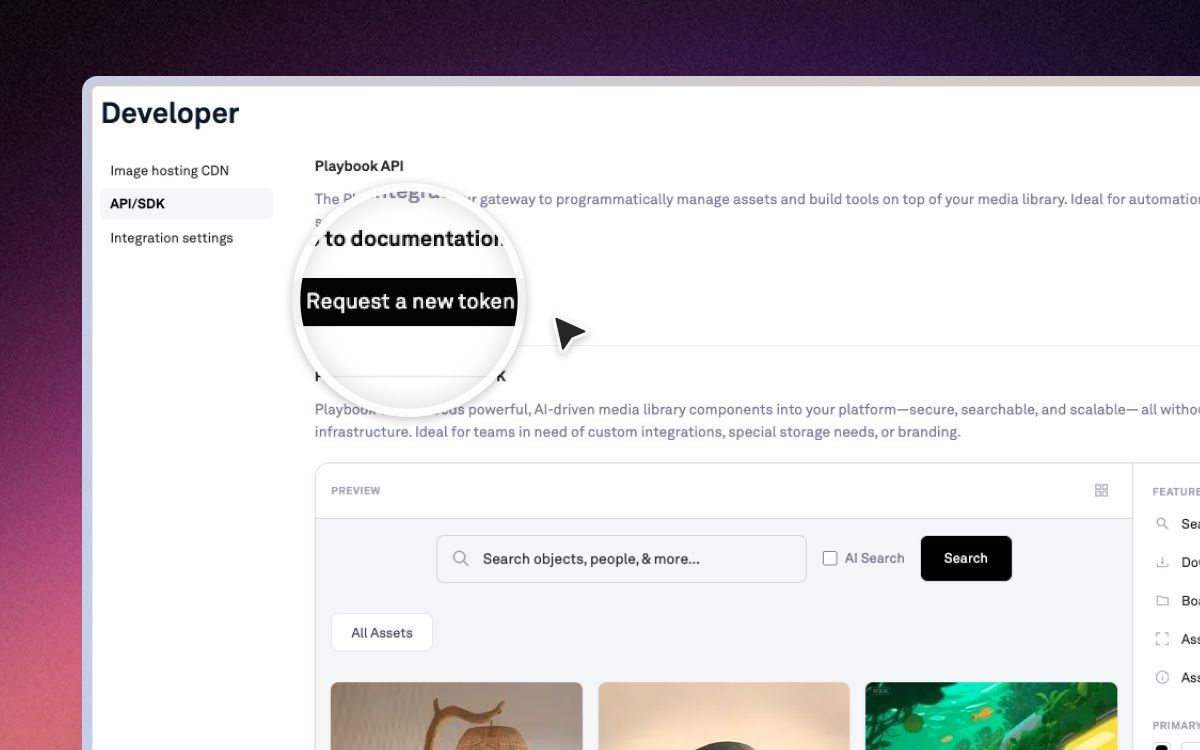
The brand portal example in the docs wires this up end to end. The moving parts:
- Filter to approved assets:
GET /v1/{ORG}/searchwithfilters[fields][Approval Status]=Approved, where Approval Status is a custom field your brand team controls. - Publish the board:
POST /v1/{ORG}/boards/brand-kit/publishreturns the public gallery URL. - Or gate it behind a link:
POST /v1/{ORG}/boards/brand-kit/sharefor a link-scoped portal. - Drive your own frontend:
GET /v1/{ORG}/boards/brand-kit/assets?per_page=100returns each asset'stoken,title,display_url, andraw_url. - Embed it live: paste the iframe, tokens auto-refresh, downloads stay off.
- Keep it clean: board upload rules require tags, license, copyright, and expiry before an asset shows.
- Keep it safe: a separate scoped token per integration, revocable without touching the others.
Full auth and endpoint reference lives at dev.playbook.com.
Developer FAQ
Does a Playbook brand portal stay in sync automatically?
Yes. The published board and its embed read from the same source. When you add, replace, or remove an asset on the board, the portal and every iframe update on their own. The embed refreshes a short-lived token behind the scenes, so you never re-embed anything.
Which endpoint returns only approved assets?
Call GET /v1/{ORG}/search with filters[fields][Approval Status]=Approved. Approval Status is a custom field you define, so "cleared for distribution" means exactly what your brand team decides. Anything not approved never enters the portal.
What plan do I need for API access?
At the time of writing, Playbook exposes its REST API on paid plans, with SDK access and the largest monthly call volumes on Business and Enterprise. Tiers and limits change, so confirm on the current pricing page before you build.
Can external partners pull assets without an account?
Yes. Publish the board and anyone with the link opens the gallery, no login. For your own site, list assets through the API and serve the display_url or raw_url. Scope one token per partner so you can revoke a single integration cleanly.
Your brand should ship itself. Build the portal once, then let the API keep it current. Schedule a demo at playbook.com/contact.