
Client approval software is a tool that collects structured feedback on creative work and records a formal sign-off, so that approvals live on the asset itself instead of scattered across email, Slack, and meeting notes. If your team is still chasing "looks good to me" replies across four channels, that is the problem this category exists to solve.
This guide compares five tools creative teams actually use for client approval in 2026, and it asks one question most comparisons skip: what happens to the asset after someone approves it? Review is a moment. The library is forever. A tool that nails the moment and drops the asset afterwards has solved half your problem.
Want to see approvals and the asset library in one place? Schedule a demo.
How we ordered this list
Five criteria, applied in this order:
- Does the client need an account? Every login you require is feedback you do not get.
- Is the feedback anchored to the work? A comment pinned to a timestamp or a coordinate beats a paragraph describing a region of the image.
- Is sign-off a record, or a vibe? Approval should be an auditable event with a name and a date attached.
- What file types does it actually handle? Video, PDF, and layered design files behave very differently under review.
- Where does the asset live afterwards? This is the criterion that separates a proofing tool from a system of record.
Quick comparison
| Tool | Best for | Client login required | Asset library after approval | Pricing (at the time of writing) |
|---|---|---|---|---|
| Playbook | Teams who want approval inside the asset library | No, share by link | Yes, the library is the product | Free, Pro $18/mo, Team $25/mo, Business $500/mo flat |
| Filestage | Marketing teams running fixed review rounds | No, reviewer links | No, proofing only | Per seat, published on their pricing page |
| Ziflow | Enterprise proofing with compliance needs | Optional | No, proofing only | Per seat, published on their pricing page |
| Frame.io | Video and post production | Yes for most workflows | Partial, project based | Free, Pro $15/mo, Team $25/mo |
| PageProof | Regulated work needing strict audit trails | No, reviewer links | No, proofing only | From $249/mo or $2,499/yr |
1. Playbook: best for teams who want approval inside the asset library
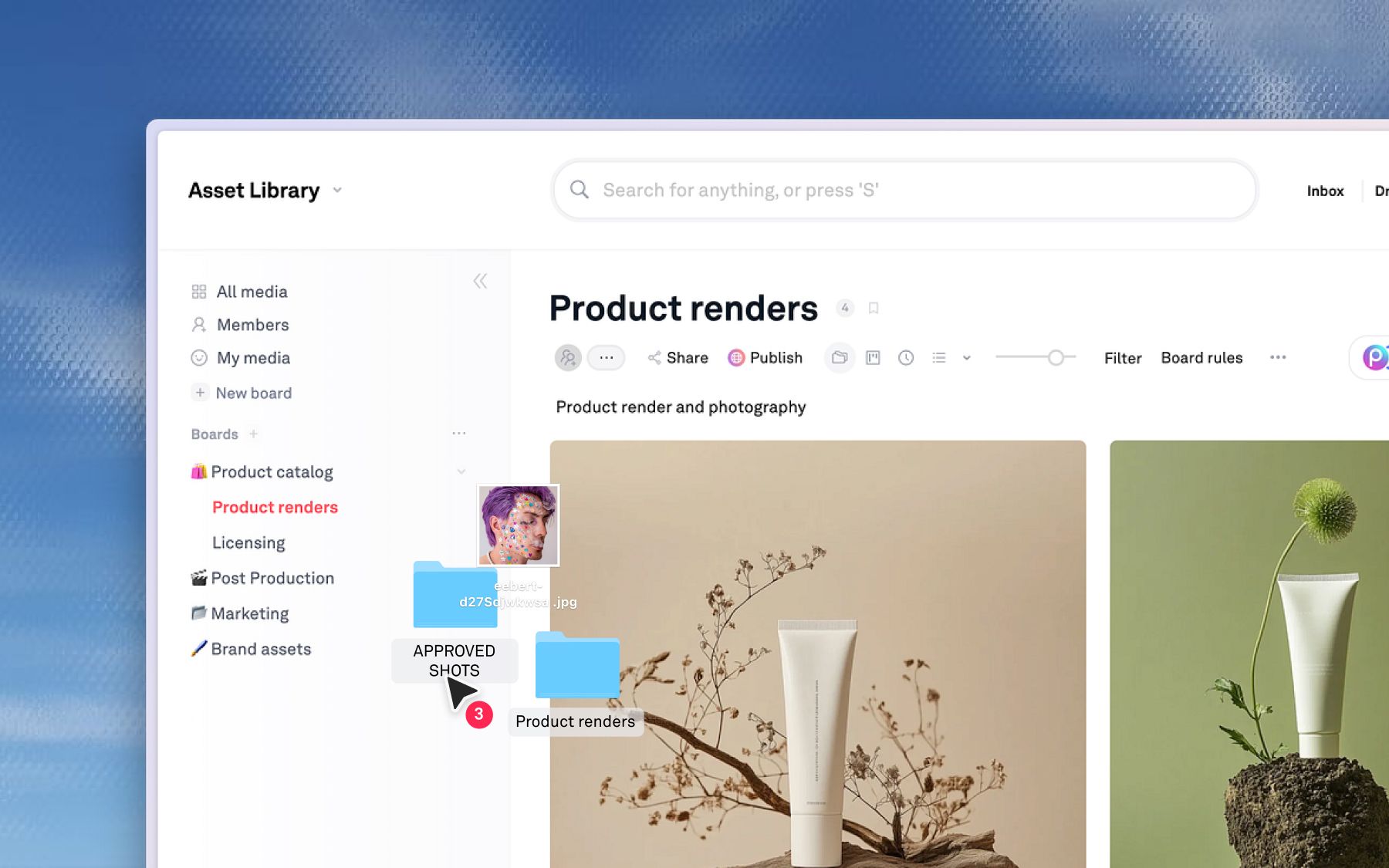
Playbook is a visual home for creative work where client approval is one motion inside the library rather than a separate product. You share a board or a single asset by link, the client comments directly on the work without creating an account, and the approved file stays exactly where the rest of your library lives.
Strengths
- Per-second comments on video and pinned comments on stills, so feedback points at the frame instead of describing it
- Guests never take a paid seat, and they are unlimited on Pro and above
- Role-based permissions, so a client sees one board and not your whole library
- Published brand portals that update once and serve every market
- The approved asset is already filed, tagged, and searchable the moment it is approved
Limitations
- Playbook is not a dedicated compliance proofing suite, so teams in pharma or regulated finance may still need a specialist tool alongside it
- Playbook Intelligence starts on the Team plan, not on Free or Pro
WBD Sports, the marketing engine behind TNT Sports, Eurosport, and Bleacher Report, runs legal review this way across a 10,000-asset library. Before Playbook, assets sat in SharePoint and Google Drive while promo scripts moved by email. VP of Marketing David Bret described the old process simply: "There was a lot of wasted time and energy." Timestamped video comments turned legal review into something precise and asynchronous.
Dorst & Lesser, a 75-person social agency in Amsterdam, moves roughly 400 assets a week across 40 clients and 30 influencers, with the conversations tab carrying feedback between team, client, and creator.
The reason this matters: the filing problem and the approval problem are the same problem. Playbook's board rules tag and place every new upload automatically, so an approved asset does not need a human to remember where it belongs. See how review and collaboration work together for more.
At the time of writing, Playbook is free to start, Pro is $18 per member per month or $120 per year, Team is $25 per member per month or $240 per year, and Business is a flat $500 per month or $4,800 per year with unlimited members, SSO, and API access. Current tiers are on the pricing page.
2. Filestage: best for marketing teams running fixed review rounds
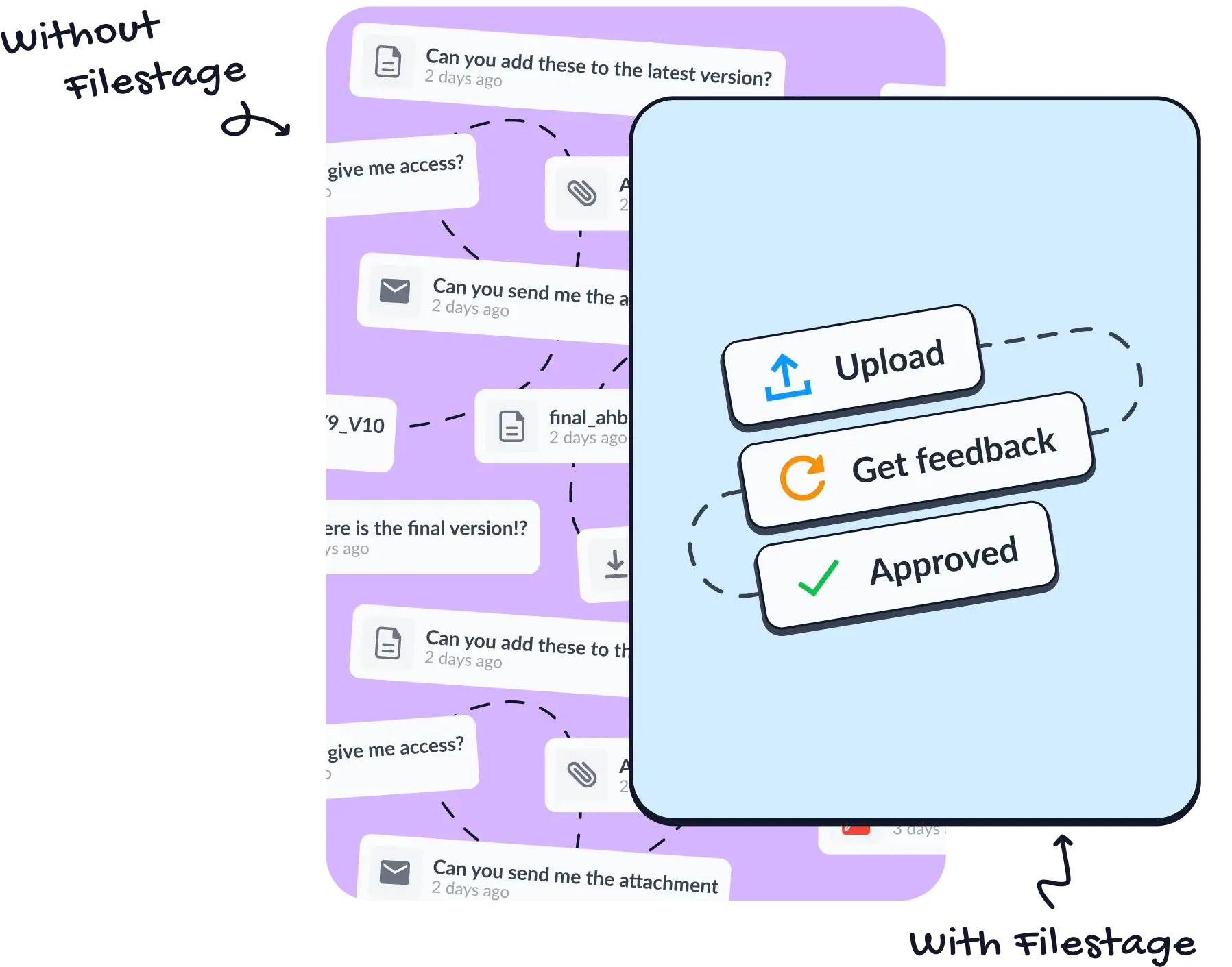
Filestage is online proofing software built around explicit review steps, where each round has named reviewers and a due date. It is a good fit for marketing teams whose approval process is genuinely sequential: creative reviews, then brand, then legal.
Strengths
- Review steps with due dates make the status of a round unambiguous
- Reviewers comment without an account
- Handles video, PDF, and web content in one review surface
- Automated reminders reduce the chasing
Limitations
- It is a proofing tool, so approved files still need a home somewhere else
- Per-seat pricing gets expensive as the internal reviewer list grows
Pricing is published per seat on the Filestage pricing page and is worth checking directly, since tiers change.
3. Ziflow: best for enterprise proofing with compliance needs
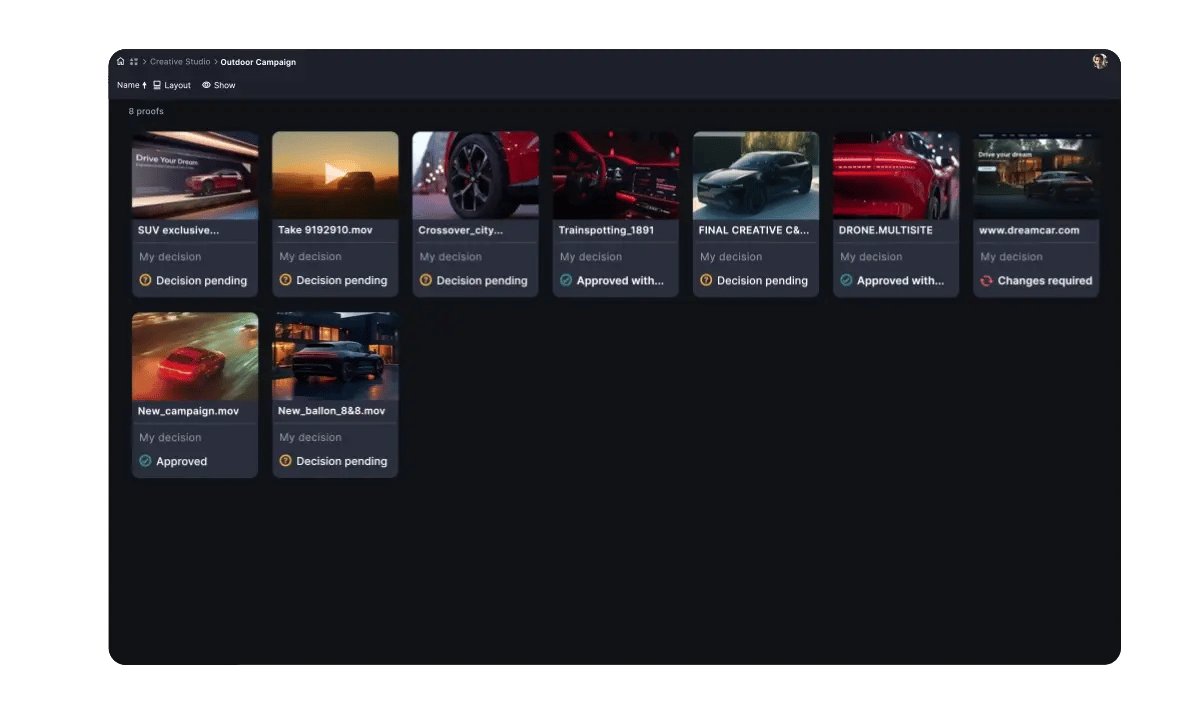
Ziflow is enterprise-grade online proofing with automated workflow routing, built for organizations where a review path has to be enforced rather than suggested. If your approvals need to follow the same documented route every time, this is the category leader for that job.
Strengths
- Automated routing sends a proof to the next stage without anyone remembering to
- Very broad file type support, including packaging and print formats
- Detailed audit trails suited to regulated review
- Integrations with the major work management platforms
Limitations
- More setup than a small team needs, and the workflow builder rewards a dedicated owner
- Like other proofing suites, it manages the approval and not the library behind it
See the Ziflow pricing page for current tiers.
4. Frame.io: best for video and post production
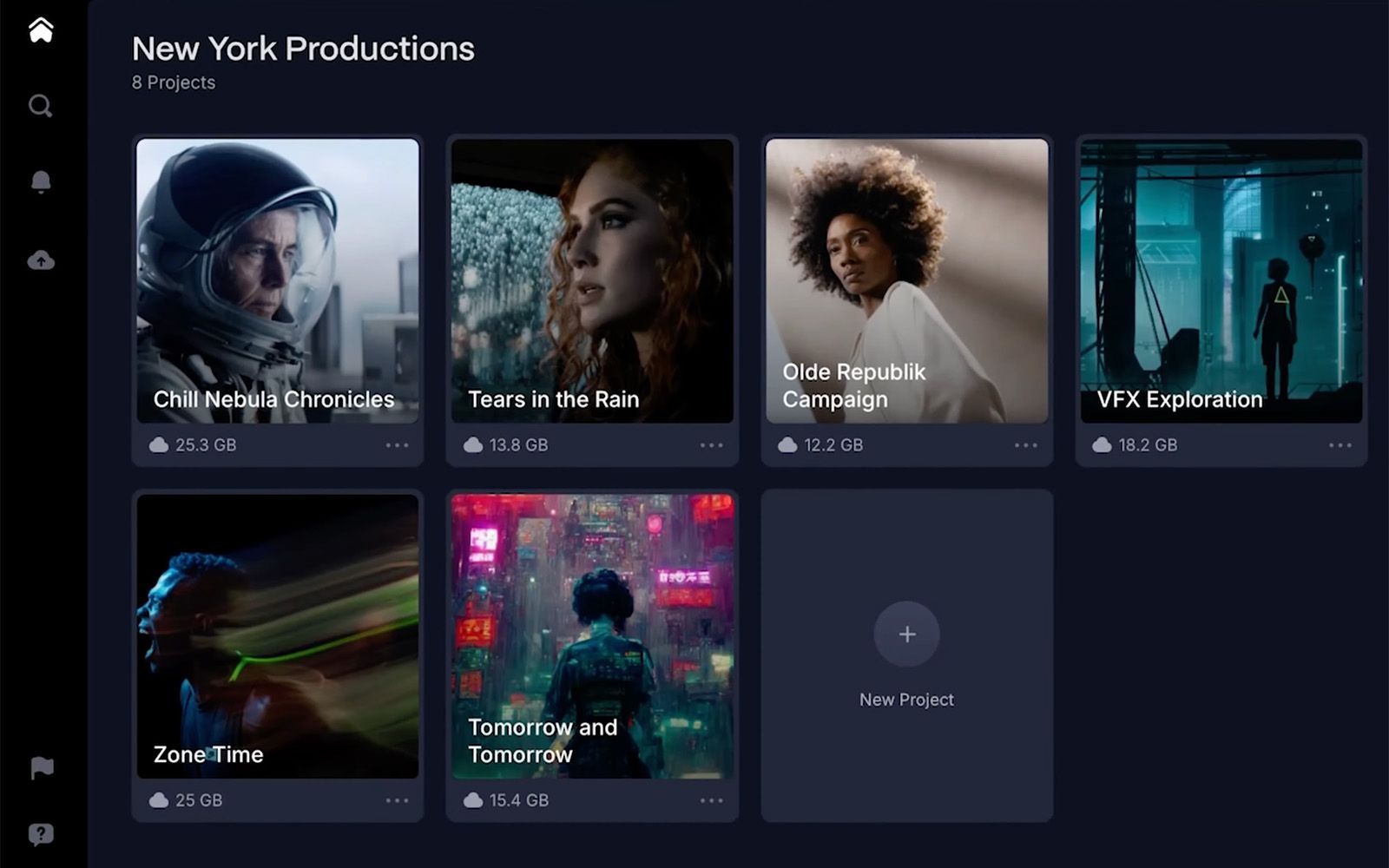
Frame.io is a video-first review platform, now part of Adobe, with frame-accurate commenting and tight integration into Premiere Pro and After Effects. For teams whose approvals are mostly moving pictures, the editorial integration is the strongest on this list.
Strengths
- Frame-accurate comments and drawing tools built for editorial review
- Camera to Cloud gets footage into review while the shoot is still running
- Deep Adobe integration for teams already in Creative Cloud
- Generous free tier for small teams
Limitations
- Strongest on video, less natural for stills, packaging, and static campaign work
- Organized around projects, so assets tend to stay locked to the job they were made for rather than becoming a reusable library
At the time of writing, Frame.io lists a free tier, Pro at $15 per month, Team at $25 per month, and custom Enterprise pricing on the Frame.io pricing page.
5. PageProof: best for regulated work needing strict audit trails
PageProof is proofing software with an emphasis on security and a complete, defensible record of who approved what. Teams in pharma, finance, and other regulated categories choose it for exactly that reason.
Strengths
- Encrypted proofs and a rigorous approval record
- Smart compare highlights what changed between versions
- Reviewers do not need an account
- Works alongside Adobe tools
Limitations
- Entry pricing is high for small teams relative to the rest of this list
- Again, a proofing specialist rather than a place your assets live
At the time of writing, published plans start at $249 per month or $2,499 per year, with a higher tier at $499 per month or $4,999 per year. Check the PageProof pricing page for current figures.
How to choose client approval software
Work through these in order and the shortlist tends to pick itself.
- If most of your work is video, weight frame-accurate commenting and editorial integration highest.
- If your review path is legally mandated, weight audit trails and enforced routing highest.
- If clients ignore your review links, weight no-account access highest. This is the single most common reason approval tools fail to get adopted.
- If you keep re-shooting things you already own, the bottleneck is not approval at all. It is that approved work disappears into a project folder. Fix the library first.
- If you are an agency juggling many clients, weight per-client permissions and guest pricing, because seat-based tools punish you for the thing you do most. Our agency guide covers that math.
The honest summary: if you need deep compliance proofing, buy a proofing specialist. If your real problem is that approved work vanishes, buy a library that happens to do approvals. Schedule a demo and we will tell you which one you are.
Frequently asked questions
What is client approval software?
Client approval software collects structured feedback on creative work and records a formal sign-off. Reviewers comment directly on the asset, usually without an account, and the approval is stored as a dated, attributable event rather than an email reply.
What is the best client approval software for creative teams?
It depends on the file type that dominates your work. Video-heavy teams tend to choose Frame.io. Teams needing enforced compliance routing choose Ziflow or PageProof. Teams who want approvals and their asset library in one system choose Playbook.
Is online proofing software the same as client approval software?
Mostly yes. "Online proofing" is the older term from print and packaging, where a proof was a physical artifact. Both describe tools for marking up creative work and recording sign-off.
Do I still need proofing software if I have a DAM?
Often not. A DAM with per-second video comments, pinned annotations, and role-based sharing covers the majority of approval workflows. Keep a dedicated proofing tool if you have regulated, multi-stage routing that must be enforced by the system.
How much does client approval software cost?
Most tools price per seat, which is why guest access matters so much. At the time of writing, entry points on this list range from free tiers up to $249 per month, with enterprise proofing suites quoted individually.
Can clients leave feedback without creating an account?
With most tools on this list, yes. Playbook, Filestage, and PageProof all support reviewing by link without an account. Requiring a login is the fastest way to reduce the amount of feedback you actually receive.
Approvals should not be the reason work sits still, and an approved asset should not be the last time anyone sees it. Schedule a demo to see review and the library working as one system.