
A DAM stores the assets your team creates, a CMS publishes the pages your audience reads, and a MAM manages high-volume video and broadcast media through production. They overlap enough to be confused for one another and differ enough that buying the wrong one is expensive. The fastest way to tell them apart: a DAM is organised around the asset, a CMS around the page, and a MAM around the timeline.
This guide explains what each system actually does, where MDM fits in (it is a different thing entirely, despite the initials), and how to work out which one your team is missing.
Not sure which gap you have? Schedule a demo and we will help you scope it honestly.
Quick comparison
| DAM | CMS | MAM | MDM | |
|---|---|---|---|---|
| Stands for | Digital asset management | Content management system | Media asset management | Master data management |
| Manages | Finished and in-progress creative assets | Web pages and published content | Video, audio, and broadcast media | Core business records |
| Organised around | The asset | The page | The timeline | The record |
| Primary user | Creative, brand, marketing | Web, content, editorial | Post production, broadcast | IT, data governance |
| Typical question it answers | Where is the approved hero image? | What does this page say? | Which take is this clip from? | What is the authoritative product record? |
| Handles approvals | Usually | Rarely | Sometimes | No |
What is a digital asset management system?
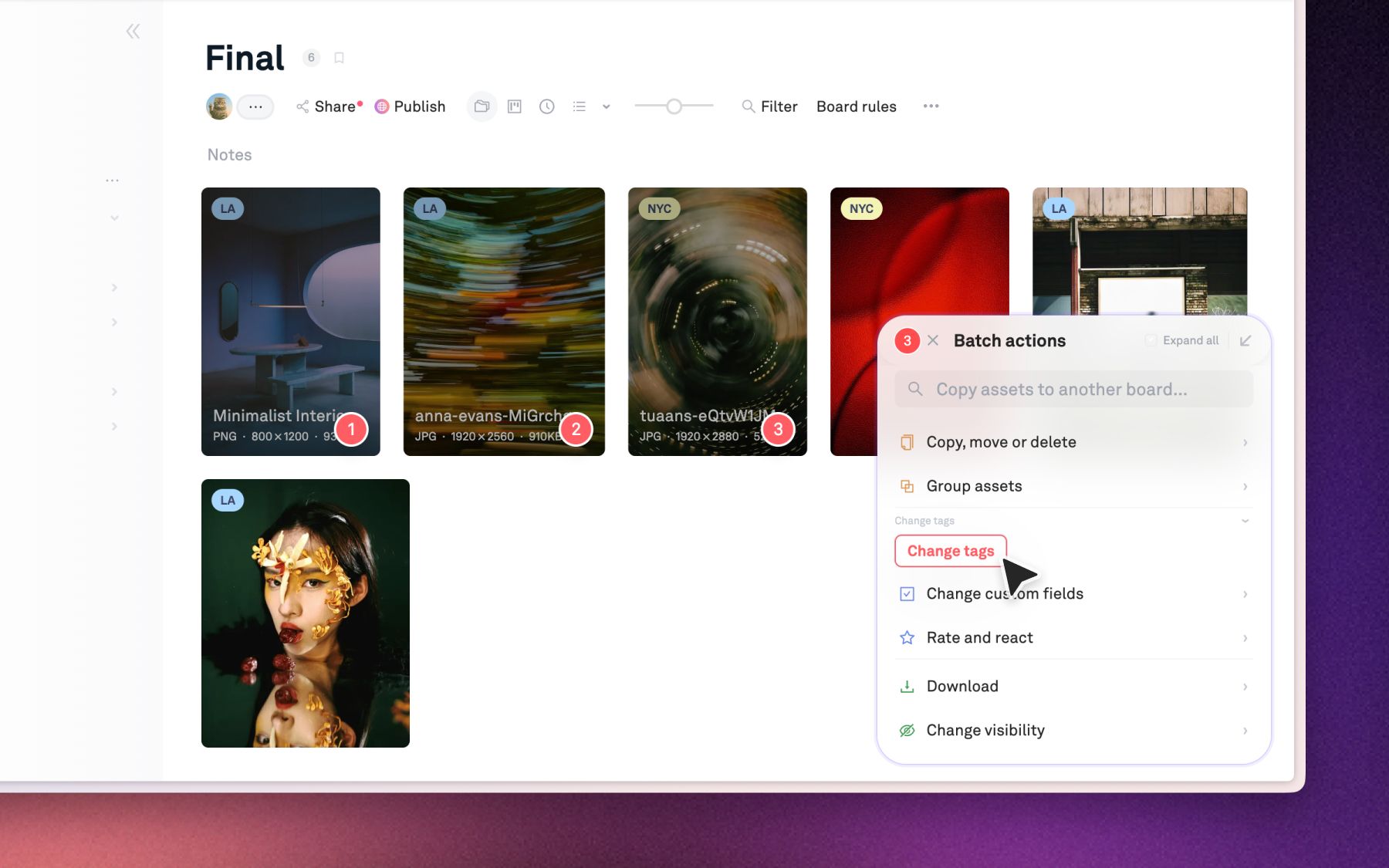
A digital asset management system is a platform that stores, organises, and distributes a team's creative files, keeping metadata, permissions, and version history attached to each asset. It is the system of record for the things your team makes: photography, video, design files, logos, packaging artwork, and the approved final versions of all of them.
The defining characteristic is that a DAM knows what is inside a file. Storage knows a file exists and where it sits. A DAM knows this is a product shot, taken on this shoot, featuring this SKU, approved on this date, licensed until that one.
That is also why "we already have Google Drive" is not an answer. Dyla Brands, the 60-person New York beverage company behind Stur and partner brands including Dole, Ocean Spray, and Liquid Death, ran exactly that setup across OneDrive and Google Drive before switching. Senior Design Manager Emma Madia's summary of the old system: "It was a huge headache." Their library is now over 15,000 assets, and the sales team can find a specific flavour's product shot without interrupting a designer.
Buy a DAM when the recurring pain is "we cannot find it" or "we made that already".
What is a content management system?
A content management system is a platform for creating, editing, and publishing content to a website or app, organised around pages and templates rather than around individual files. WordPress, Contentful, Sanity, and Webflow all sit in this category.
A CMS does store images, and this is the source of most of the confusion. But it stores them as page dependencies. Upload the same logo to twelve pages and a CMS is perfectly happy to hold twelve copies, because its job is to render page twelve correctly, not to know that all twelve are the same asset. There is usually no approval state, no licence expiry, no version lineage, and no way for the brand team to update the logo everywhere at once.
Buy a CMS when the recurring pain is publishing and updating what your audience reads. Buy it in addition to a DAM, not instead of one.
What is a media asset management system?
A media asset management system is a DAM specialised for video and audio, built around timecode, proxies, and the mechanics of post production. Where a DAM treats a video as one asset, a MAM treats it as a timeline you can search into: this frame, this take, this camera, this transcript.
MAMs are standard in broadcast, film, and large-scale content operations, where a single project generates terabytes of footage and the useful unit is a moment rather than a file. They typically handle proxy generation so editors can work without pulling full-resolution media, and they integrate with editorial tools rather than replacing them.
The practical distinction: if your search needs to land on a moment inside a file, you need MAM capability. If it needs to land on the file, a DAM is enough.
Most brand and marketing teams that think they need a MAM actually need a DAM that handles video properly. WBD Sports, the marketing team behind TNT Sports, Eurosport, and Bleacher Report, runs a 10,000-asset library with timestamped video comments for legal review across markets. That is video-native review inside a DAM, not a broadcast MAM, and for marketing output it is the right depth.
Where MDM fits, and why it is not MAM
Master data management is not a media system at all. MDM governs the authoritative version of core business records: customers, suppliers, products, locations. It exists so that "product 4417" means the same thing in your ERP, your ecommerce platform, and your finance system.
People search "MDM vs MAM" because the acronyms rhyme, not because the systems compete. They almost never sit in the same evaluation.
The system that genuinely sits between them is PIM, product information management, which holds product attributes like dimensions, ingredients, and copy. PIM and DAM are frequent partners in retail and CPG: the PIM holds what the product is, the DAM holds what it looks like, and they are joined by SKU.
How the three systems work together
In a mature setup the flow runs in one direction, and each system does one job.
- The DAM is upstream. Work is created, reviewed, approved, and filed here. This is where the single source of truth lives.
- The CMS is downstream. It pulls approved assets from the DAM to build pages. It should not be the place assets are stored, only the place they are used.
- The MAM sits beside the DAM where video volume justifies it, handling production media while the DAM holds the finished, approved cuts.
- PIM and MDM sit alongside, holding the data that describes the thing the assets depict.
The failure mode almost every team hits is using the CMS as the DAM. It works until the second channel appears. The moment you have a website, a retail partner portal, a paid social team, and an app all needing the same approved asset, a page-shaped system cannot serve them, and you get four divergent copies of the brand.
Which do you actually need?
Work through these honestly.
- You cannot find approved work, or you keep recreating assets you already own. You need a DAM. This is the most common gap by a wide margin.
- Your website is hard to update without a developer. You need a CMS. This is not a DAM problem.
- Your searches need to land inside a video, at a specific frame or spoken phrase. You need MAM capability.
- The same product is described differently in three systems. That is MDM or PIM, not a media problem.
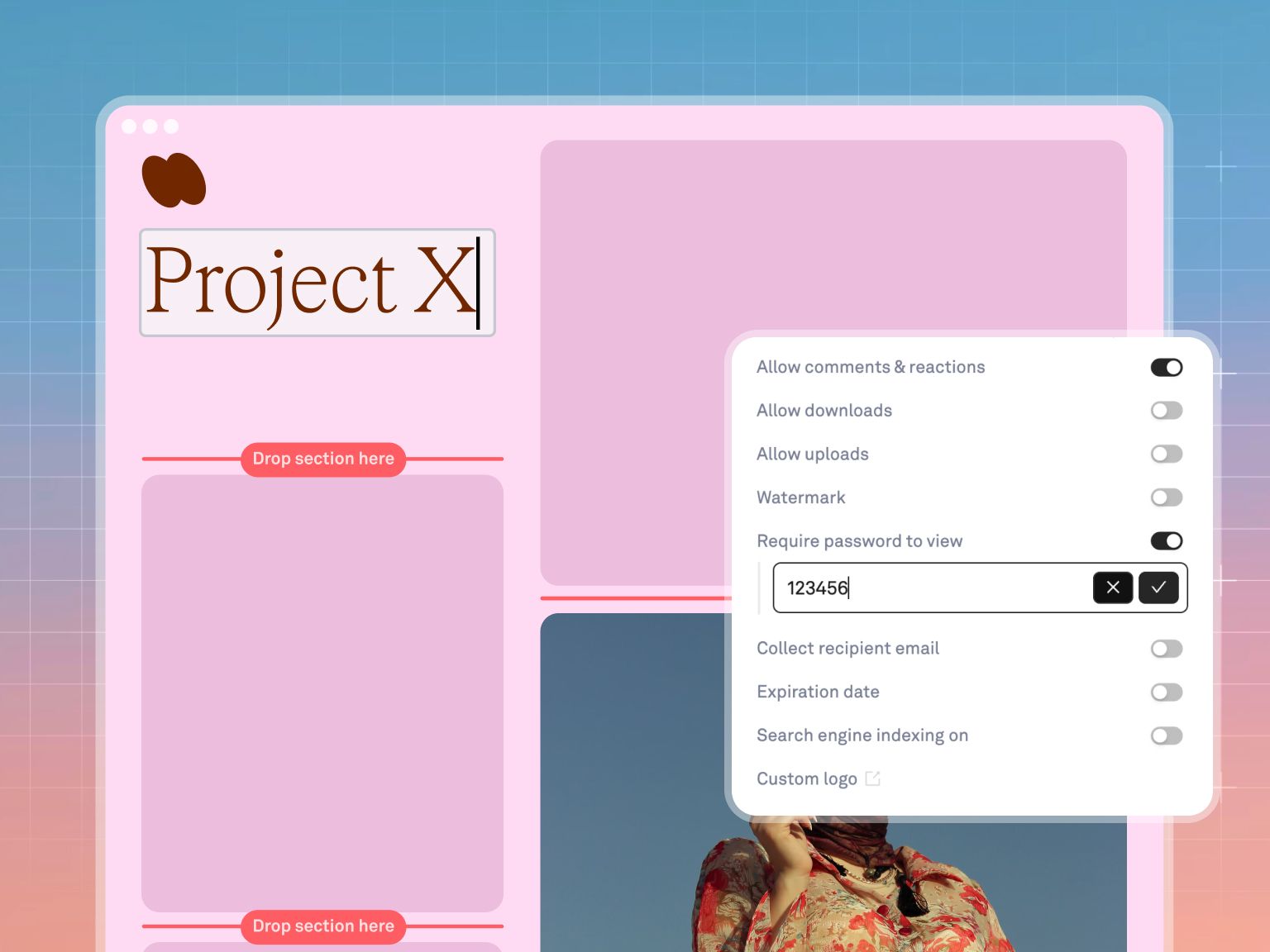
- External partners keep emailing you for files. You need a DAM with published brand portals, so the answer becomes a link that stays current.
A useful test: ask where the approved final version of last quarter's campaign hero image lives, and time how long it takes someone to produce it. Under a minute means your system works. Anything over five means the gap is a DAM, whatever else you own.
Where Playbook fits
Playbook is a digital asset management platform built as a visual home for creative work, with video review depth that covers what most teams would otherwise buy a MAM for. It is deliberately not a CMS. It is the upstream library that a CMS should pull from.
The part that changes the daily experience is that filing is not a chore anyone has to remember. Set a board rule once and every new upload is tagged and placed automatically. Search reads the actual visual content, so you can ask for "all assets featuring models" or "every file tagged #socialReady" rather than guessing at filenames. And because guests never take a paid seat, the partner portal problem stops being a licensing negotiation.
Playbook Intelligence, which starts on the Team plan, covers the three motions this article keeps circling: organise without manual filing, search and act on results directly, and chain repeated steps into one instruction. At the time of writing, Playbook is free to start, Pro is $18 per member per month or $120 per year, Team is $25 per member per month or $240 per year, and Business is a flat $500 per month or $4,800 per year with unlimited members, SSO, and API access. See the pricing page for current tiers, and dev.playbook.com if you plan to pipe assets into a CMS programmatically.
For a narrower comparison, DAM vs cloud storage covers the question in-house design teams ask most.
Most teams do not need more systems. They need the upstream one they never bought. Schedule a demo and bring the asset you always struggle to find.
Frequently asked questions
What is the difference between a DAM and a CMS?
A DAM manages assets; a CMS manages pages. A DAM is the source of truth for where an approved file lives and who may use it. A CMS is the tool that publishes content to an audience. Most organisations need both, with the CMS pulling from the DAM.
Can a CMS replace a DAM?
Not past a single channel. A CMS stores images as dependencies of pages, so the same asset gets duplicated per page with no shared version history, approval state, or licence tracking. It works until a second channel needs the same file.
What is the difference between DAM and MAM?
A MAM is a DAM specialised for video and audio, organised around timecode, proxies, and post-production workflows. A DAM treats a video as a single asset. If you need to search to a specific moment inside footage, you need MAM capability.
Is MDM the same as MAM?
No. Master data management governs authoritative business records such as customers and products. Media asset management handles video and audio files. The acronyms are similar and the systems are unrelated.
Do I need a PIM as well as a DAM?
If you sell products with detailed attributes, usually yes. A PIM holds what a product is, a DAM holds what it looks like, and the two are linked by SKU. Retail and CPG teams commonly run both.
Which should we buy first?
Buy the one that removes the most repeated work. For most creative and marketing teams that is the DAM, because the cost of not having one is invisible: assets get remade rather than reused, and nobody logs the hours.