
A sales catalog API turns your asset library into the single source your reps pull from, so nobody is ever emailing a six-month-old line sheet again. With the Playbook API you create a board, batch-load product shots with structured metadata (style number, wholesale price, MOQ), and publish it as a branded, searchable catalog page. It takes a handful of calls. Edit the board once and every rep's view updates live. This post covers what you build, the exact endpoints behind it, and how link controls keep the wrong people out.
The shared drive is where approved assets go to expire
Every sales org has the same failure mode: the assets exist, but the version a rep actually opens is wrong. Someone forwards a folder. The folder drifts. Marketing ships a new hero shot, updates a price, kills a discontinued SKU, and the rep is still sending last season's PDF to a buyer.
You cannot fix that with more reminders. You fix it by making the library the source instead of a copy. That is what a sales catalog API is for: one canonical board, published once, pulled by everyone. This is exactly the muscle consumer brands reach for when a hundred retail listings all need the current, on-brand image and not a guess.
Want to see it running against your own catalog? Schedule a demo.
Three calls from library to live catalog
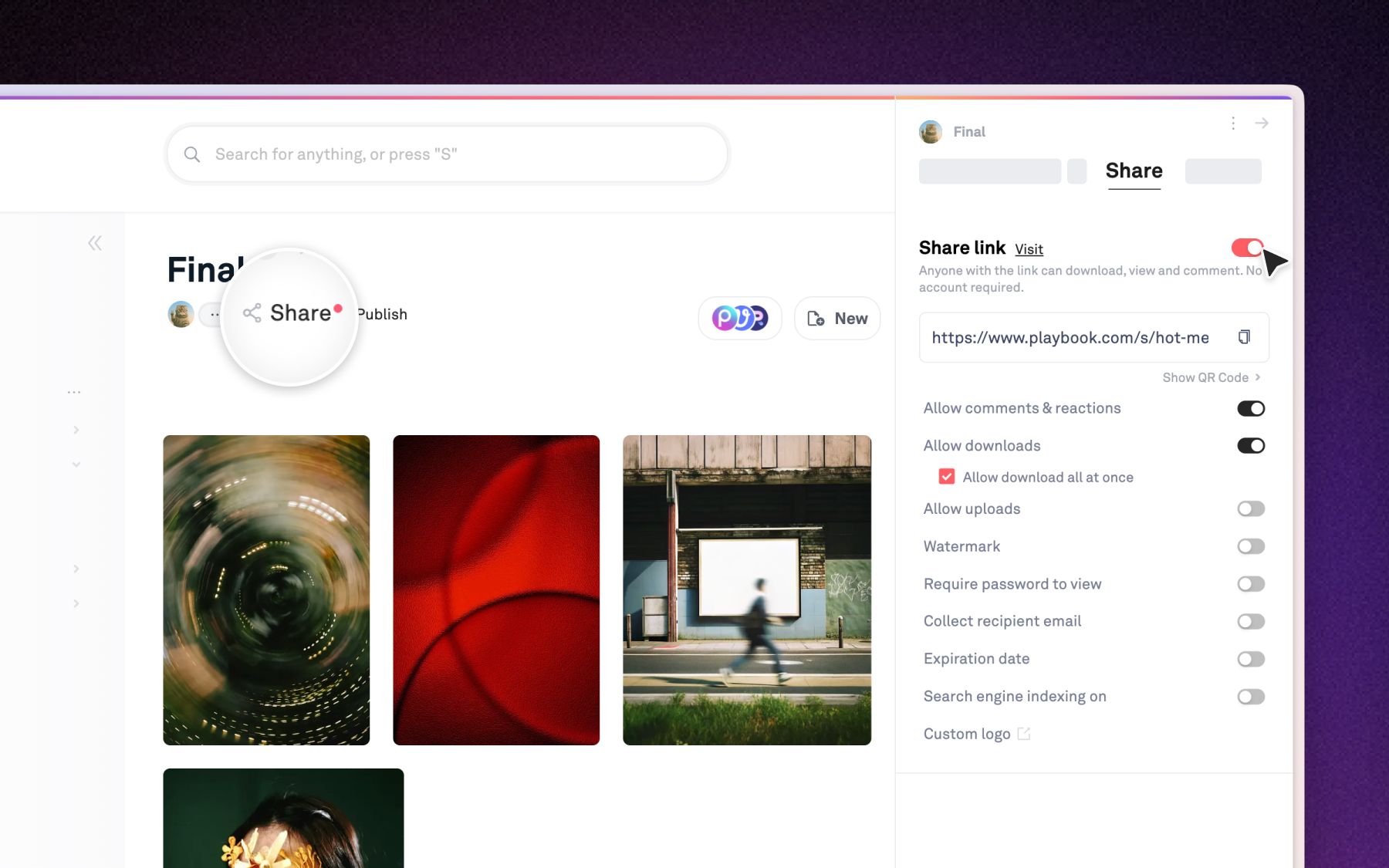
You do not need a new CMS to give reps a current catalog. You need a board, some metadata, and a publish call.
Create the board, then batch-load every style as an asset with its own structured fields. Custom fields carry the data your catalog runs on: style number, wholesale price, MOQ, availability, whatever your sheet needs. Then publish the board into a searchable, zoomable hosted page with a shareable URL. Because the published page and the internal board are the same content, an edit to the board reflects on every rep's catalog with no re-send and no version drift.
Control who sees what, down to the download
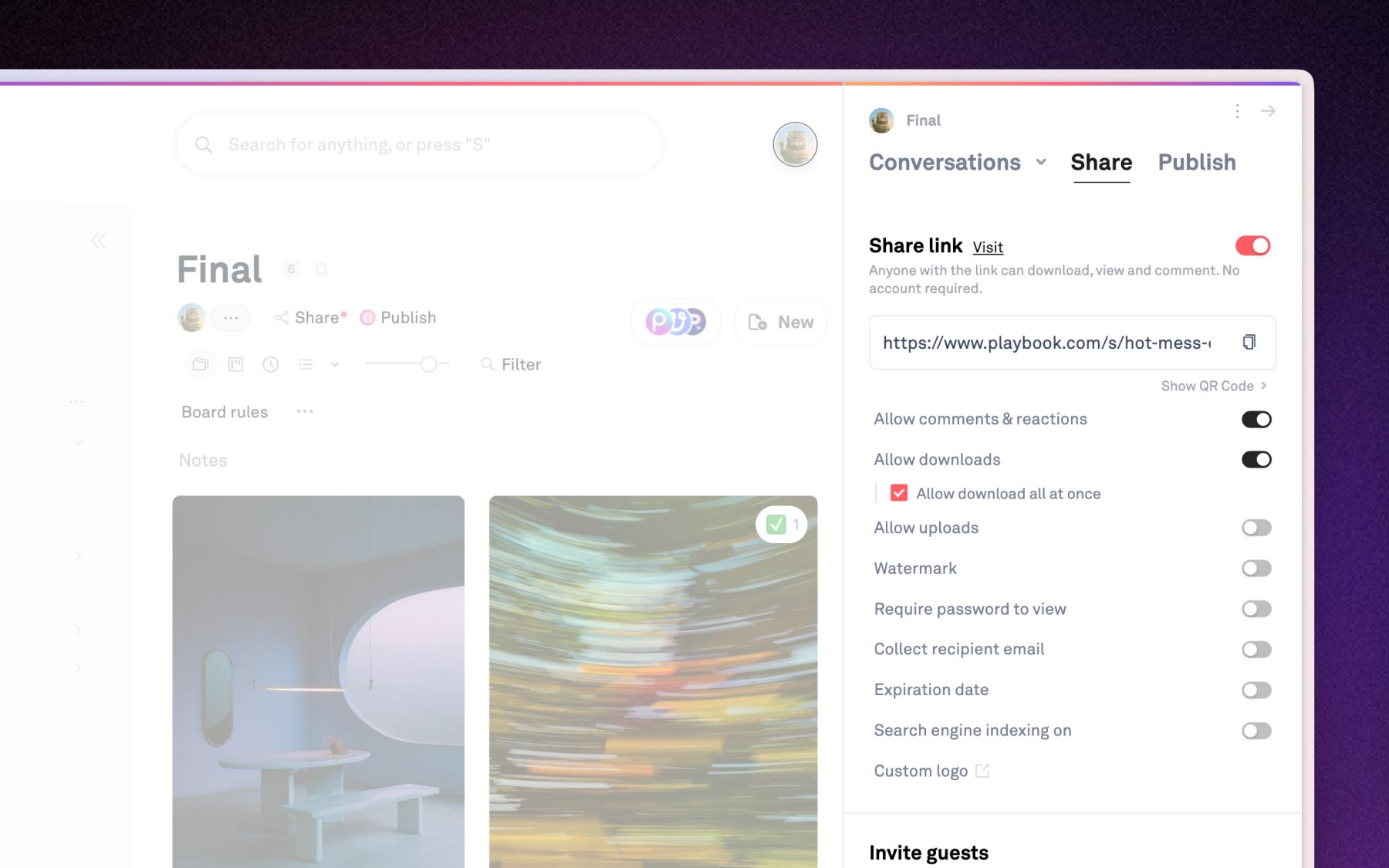
A published catalog is a front door, not an open door. Swap the public publish for a link-gated share when a catalog is buyer-specific, and put link controls on top: password, expiry, watermark, and download toggles per link. When a buyer does need originals, the shared-download endpoint mints high-resolution URLs on demand, and permalinks give you permanent CDN links to drop product shots straight into another system.
Dyla Brands, the beverage company behind Stur, runs 15,000+ assets across a SKU-heavy portfolio and retail partners like Walmart that need product images in exact dimensions. Senior Design Manager Emma Madia put the shift plainly: "having a visual presence goes a really long way versus just having folders." A catalog API is how you give that visual presence an address.
What powers it
The sales catalog example in the docs builds the whole flow. The moving parts:
POST /v1/{org}/boardscreates the catalog board.POST /v1/{org}/assets/batch_create_from_urlsbulk-loads product shots and one-pagers with their metadata.- Custom fields attach typed product data (style number, price, MOQ) that doubles as catalog filters.
POST /v1/{org}/boards/{slug}/publishturns the board into a branded, searchable catalog page.POST /v1/{org}/boards/{slug}/sharecreates link-gated access when public is too open.GET /v1/shared/{org}/assets/{token}/downloadreturns high-resolution originals on demand.- Permalinks serve permanent CDN URLs; link controls add password, expiry, and watermarks.
Full reference lives at dev.playbook.com.
Developer FAQ
Which endpoints build a sales catalog with the Playbook API?
Four do most of the work: POST /boards to create the board, POST /assets/batch_create_from_urls to bulk-load styles with metadata, POST /boards/{slug}/publish to ship the catalog page, and GET /shared/{org}/assets/{token}/download for high-res originals. The docs example wires them end to end.
How do reps always get the current asset?
The published catalog page and the internal board are one object, not a copy. When you change an asset, price, or availability on the board, the change reflects on the live catalog immediately. No exports, no re-sends, no stale line sheet in someone's inbox.
Can I gate access or expire a catalog?
Yes. Use the share endpoint for link-gated access instead of a public publish, then layer link controls: password, expiry, watermark, and per-link download toggles. Sensitive originals stay behind the shared-download endpoint rather than sitting in a public folder.
Which plan includes the REST API?
At the time of writing, API and SDK access sits on the Business and Enterprise plans, with monthly call volume rising by tier. Confirm current limits on the pricing page, since plans change.
Stop shipping your reps a copy of the truth. Ship them the truth. Schedule a demo and we will build your first catalog together.