
Picture the Monday morning version of this: a marketer needs a hero shot for a launch email, searches Google Drive, finds three files that all look current, pings the designer on Slack, waits two hours, then just uses whatever she can find in an old email thread. It turns out to be an unapproved draft.
That scene repeats itself across creative teams every week, and it isn't a search problem so much as an infrastructure problem. Visual files, unlike documents, can't be found with a keyword search unless something has actually described what's inside them. This guide breaks down why that happens, what it costs, and what a self-serve library needs to fix it for good.
Why files are hard to find in the first place
Creative teams lose time to file search because of three structural gaps, not because anyone is disorganized. Fix the infrastructure and the search problem mostly disappears on its own.
1. Assets are scattered across too many places
Between Drive, Dropbox, Slack uploads, email attachments, and someone's desktop, no single search covers every location a file could be. That's what produces the "can you send me the latest?" loop: a marketer searches one location, finds near-duplicates with no way to tell which is current, and pings a designer who's heads-down and doesn't answer for two hours. A team storing assets in three places doesn't have the search problem three times, it has a compounding one, because nobody knows which location holds the real answer.
2. Findability depends on whoever uploaded the file
Even inside one platform, naming is only as good as the person who did it. One designer writes a descriptive filename. Another uses whatever the camera assigned. A third invents shorthand that only makes sense to them. That system holds together until someone goes on leave or leaves the company, and their filing logic goes with them. Cross-functional teammates end up needing to ask a designer directly for every file, because the "system" was really just one person's memory.
3. Version confusion turns a search problem into a rework problem
A folder with hero-FINAL.psd, hero-FINAL-v2.psd, and hero-FINAL-v2-revised.psd isn't version control, it's a guessing game. When an outdated file gets exported or an unapproved draft goes out to a partner, the team pays for it twice: once on the search, and again on the correction. A five-minute task turns into a half-day fire drill involving three people.
What time lost searching for files actually costs
File search isn't a minor annoyance, it's a line item, even when it never shows up as one on an invoice. Atlassian's State of Teams 2025 report, based on a survey of 12,000 knowledge workers and 200 executives, found that teams lose 25% of the workweek to searching for information, and that difficulty finding information is the single biggest barrier to moving fast.
Run that against a real team. A five-person creative team billing at $75 an hour, each losing even half a day a week to searching for and clarifying file versions, works out to real six-figure spend a year on admin rather than design, strategy, or production. That math only gets worse as headcount and asset volume grow: a five-person team with 10,000 files can improvise its way around the problem, but a fifteen-person team managing six figures' worth of files across half a dozen campaigns can't.
The visible cost is salary. The costs underneath it are just as real:
- Delayed launches, when nobody can locate an approved asset in time.
- Duplicated production, when a team recreates a deliverable that already exists because no one can confirm it, or find it at all.
- Creative fatigue, from the constant switching between actually making things and hunting for the things already made.
Schedule a demo to see how much of that time comes back once a library is actually searchable.
What a self-serve asset library needs
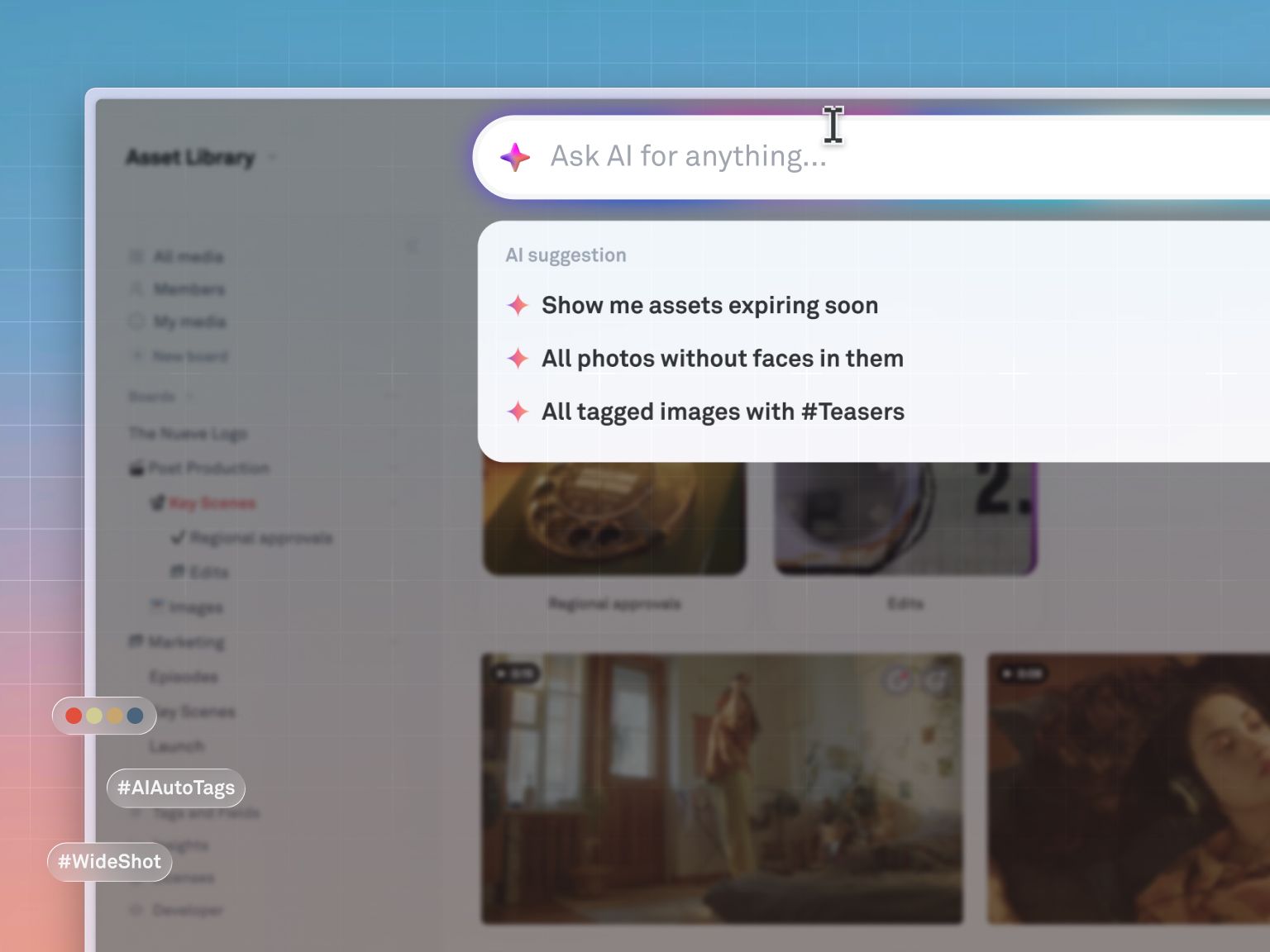
A self-serve asset library lets marketing, sales, and brand partners find and use approved work without pulling a designer into the request. Getting there takes four things, in order:
- Centralize first. Every asset, wherever it currently lives, needs to land in one visual workspace. Thumbnails matter here: seeing what a file is without opening it is what actually speeds up browsing, not just having everything in one folder tree.
- Standardize with structured metadata. Campaign, channel, asset type, and approval status need to be fields anyone can filter on, not tribal knowledge locked in one person's head.
- Automate the tagging. Manual tagging gets done diligently for two weeks and then quietly stops the moment a deadline hits. Tagging that happens automatically at upload is the only kind that survives contact with a real production calendar.
- Control access deliberately. Self-serve doesn't mean unrestricted. Marketing should browse and download approved finals while work-in-progress stays hidden, and external partners should see exactly what's been cleared for them, nothing more.
How Playbook makes a library self-serve
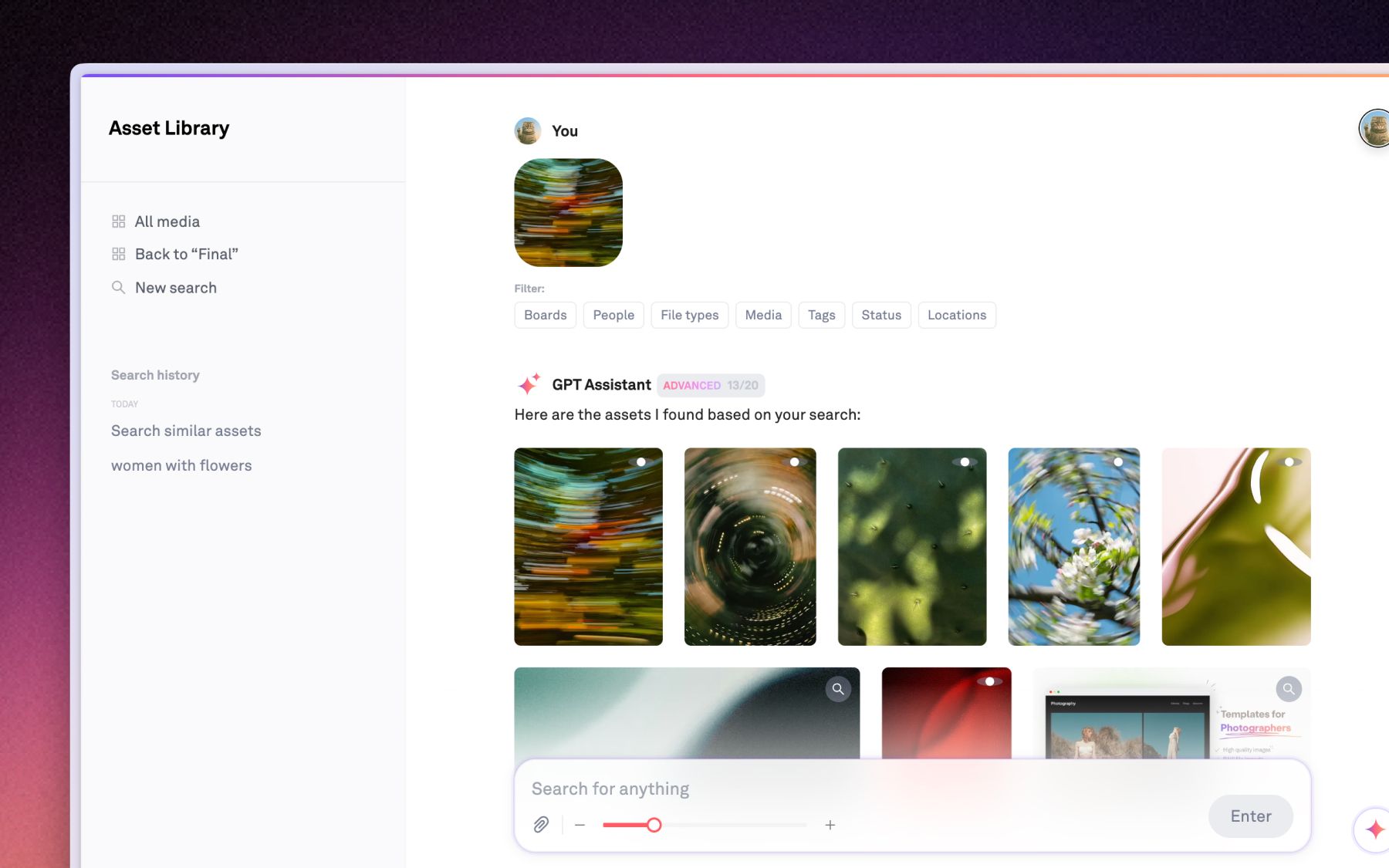
Playbook centralizes, tags, and secures a creative library automatically, so finding an approved asset stops depending on asking a designer. Every file lands in one visual workspace as a thumbnail, so a team can identify what it's looking at without opening a single file, and version stacks, comments, and approval context travel with the asset instead of getting left behind in Slack.
AI Organize understands every image and video by subject, mood, and brand elements, tags it automatically on upload, and proposes where it belongs, so a library stays searchable even during the weeks nobody has time to file anything by hand. Sidebar search turns that tagging into something usable in the moment: type "lifestyle shot of the blue jacket from the fall shoot" and get the asset and a ready-to-send link back, without a Slack DM to the design team.
Granular permissions and secure, expiring share links mean self-serve doesn't turn into unmanaged. Marketing gets what's approved. Agencies and clients get exactly what's been cleared for them, and nothing that isn't.
Real teams feel the difference immediately. The Vault Stock, a Queensland-based stock content platform, was running a roughly 10,000-asset library on a combination of tools with unreliable, manually-tagged search, where a query like "flower" often returned nothing useful. Creative 2IC Anna Hamilton described the shift plainly: "Playbook really ticks all the boxes for us." The platform now supports thousands of members and 100-plus new assets uploaded every week, with AI-powered tagging and color filtering doing the sorting that used to be manual.
Invictus Media, a visual production house in Des Moines, ran into the same wall with folder-based storage: one subfolder led to another, and if the file wasn't there, it meant backing out and trying again. CEO JenniferKathryn King summed up the switch this way: "Playbook is one of the three tabs I have open all the time." Clients now get direct access to a board and see everything they need, without a single "do you know where this is?" message.
Playbook is built to be affordable at the size your team is today. The Free plan includes 100GB and 300 assets with no card required, and paid plans start at $10 a month per member (billed annually) on Pro. Team, at $20 a month per member, is where AI tagging and conversational search switch on, since processing every image and video in a library at that depth carries real compute cost that Playbook builds into the seat price instead of metering separately. Business runs a flat $400 a month for unlimited members. Confirm current figures on the pricing page before budgeting, since plans do change.
If your team runs client work, Playbook's creative agency workflows and large file sharing tools are built around exactly this handoff problem, getting the right file to the right person without a manual export.
Schedule a demo and bring your messiest folder. That's usually the fastest way to see what changes.
FAQ
How much time do creative teams actually waste searching for files?
Atlassian's State of Teams 2025 research found teams lose 25% of the workweek to searching for information, and creative teams tend to lose more, since visual assets can't be found with the kind of text search that works for documents.
What are the biggest causes of files being hard to find?
Three things: assets scattered across too many storage locations, filing systems that depend on one person's naming habits, and version confusion that turns a simple search into a rework problem when the wrong file gets used.
What does a self-serve asset library actually require?
Centralized storage in one visual workspace, structured metadata anyone can filter by, automatic tagging that doesn't depend on manual effort, and permissions that let marketing and partners access approved work without seeing drafts.
When should a team move off Google Drive to a dedicated asset platform?
Usually once a team can't reliably find files without asking someone, or "final_v3" naming starts causing real mistakes. If marketing pings design multiple times a day for files, or the library is past a few thousand assets, that point has already arrived.
How does AI search actually find creative assets faster?
AI tagging analyzes what's inside an image or video at upload, objects, colors, scenes, and concepts, and applies descriptive tags automatically. That means a team can search by what's in the file rather than by whatever the uploader happened to name it.
Want to see it against your own library? Schedule a demo with Playbook.