
Publish a media production pipeline
Learn how to run a production from dailies to final cut in one board, then publish it so producers and stakeholders review the current version.
A production board holds every stage of a shoot in one place: raw footage, selects, cuts, and the delivered master. Publishing it gives producers, clients, and executives a page they can open without an account, always pointed at the latest cut.
Build the production board
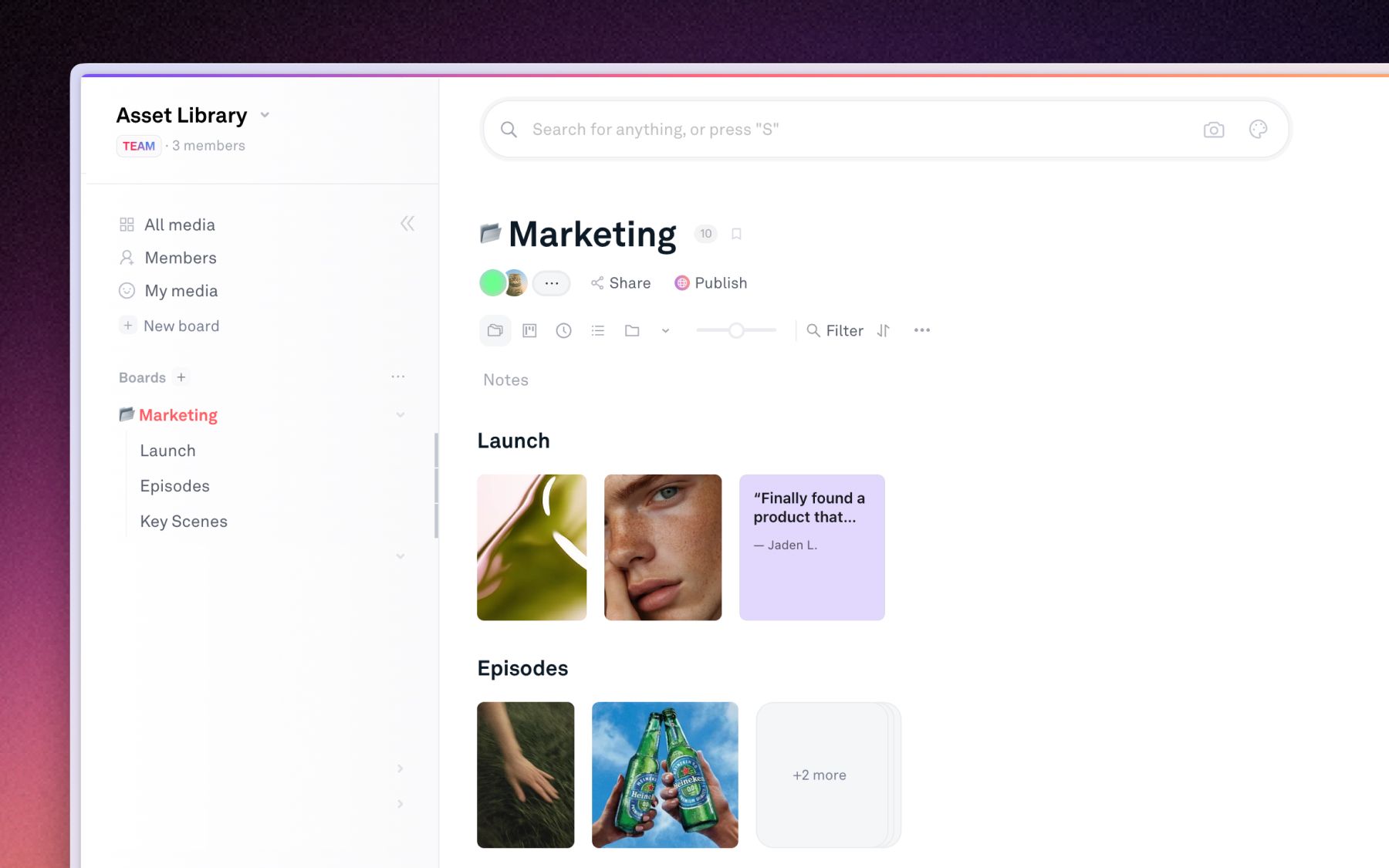
Create a board for the production and give each stage a home.
- Sub-boards: one per shoot day, episode, or deliverable.
- Groups: stack every version of a cut into one group so v7 sits on top of v1 instead of beside it.
- Dropzone: let the crew and outside vendors drop footage straight into the right board without a Playbook account. See Collecting files with Dropzone.
Track where each cut is
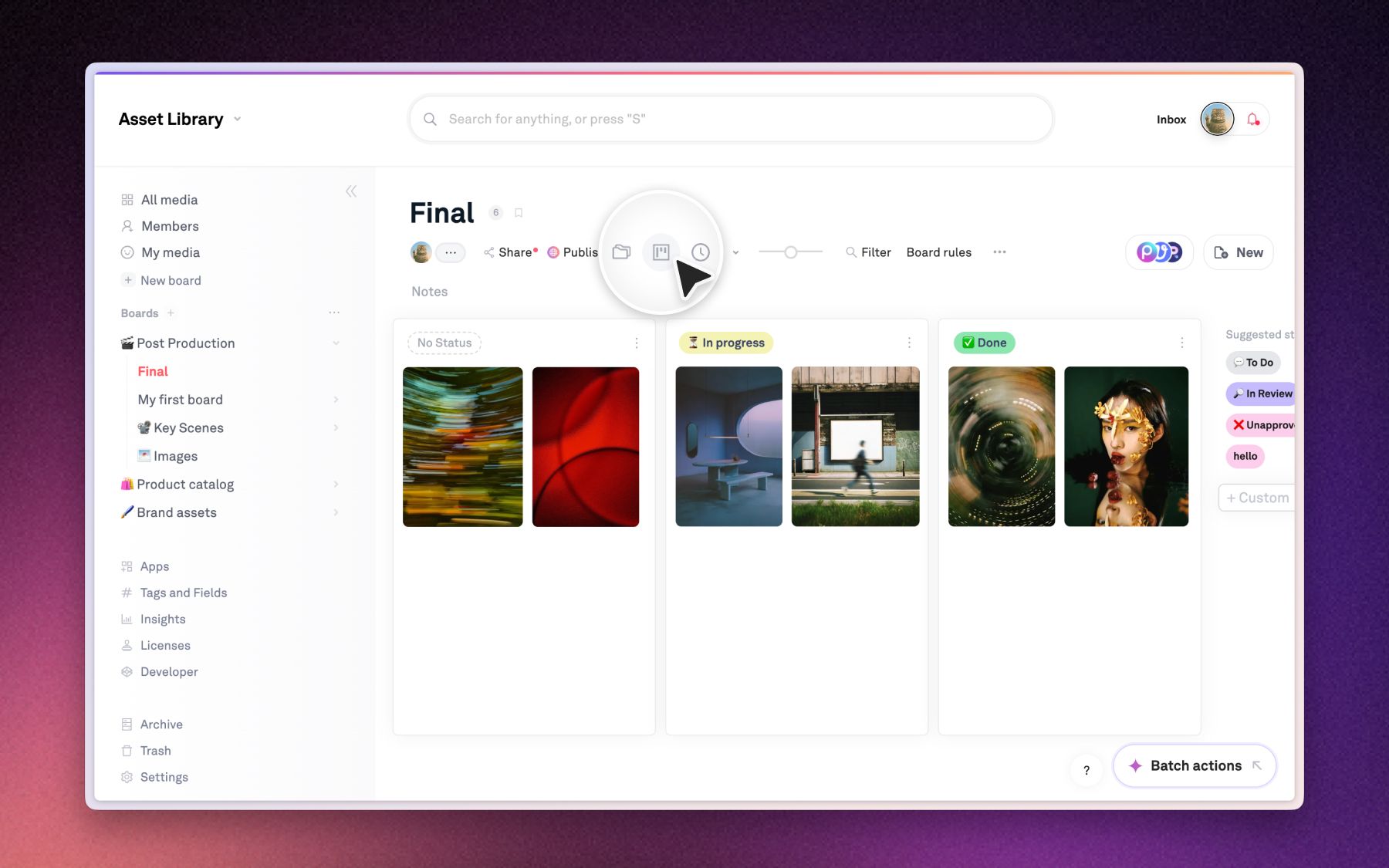
Use Status to make the stage visible, and switch the board to Kanban view to drag work between stages.
- Status: rough cut, in review, approved, delivered.
- Board rules: auto-apply a starting status to everything dropped into the board.
- Custom fields: add the fields your team argues about, like deliverable spec or air date.
Review cuts in place
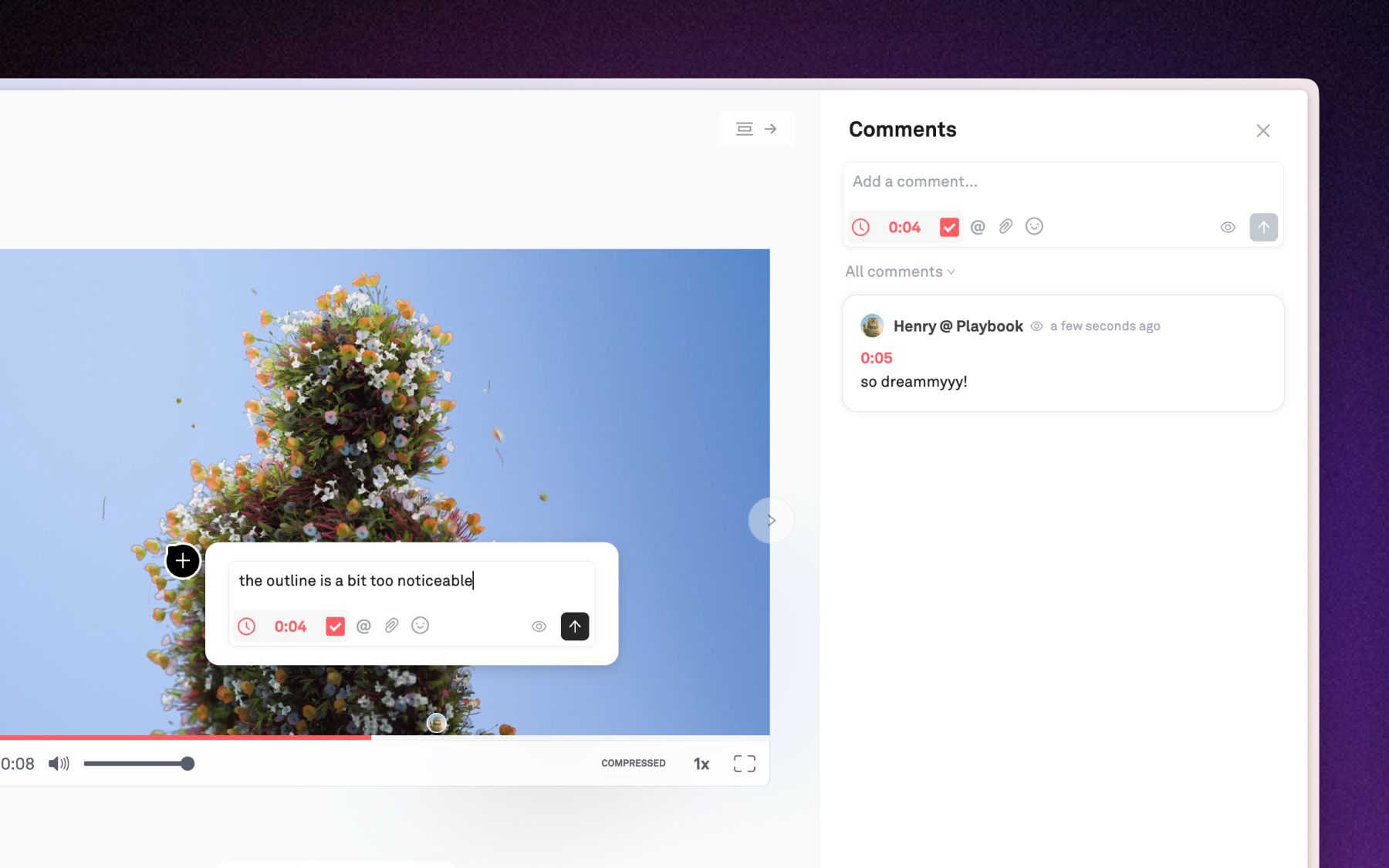
Reviewers comment on the frame, not in a separate thread.
- Timestamped comments: drop a note at the exact second of a cut, so a note about 01:14 lands at 01:14. See Comments & timestamps.
- Guests: producers and clients comment for free without taking a seat.
Pick a production template
Click Publish in the top header and choose a template that fits the audience. All three are live in the template gallery:
- New York: the standard template, a straightforward reel-and-stills layout for a working review page.
- Event Photographer: the showcase template, built to present a finished production to a client.
- Henry Golding: a full-bleed talent and campaign layout for the delivery cut.
Customize your site
Open Template Settings to set your logo, cover, typography, and page slug, then check Desktop preview and Mobile preview. The full walkthrough of the publish editor, presets, and per-section editing is in Publishing your board.
Publish the cut for review
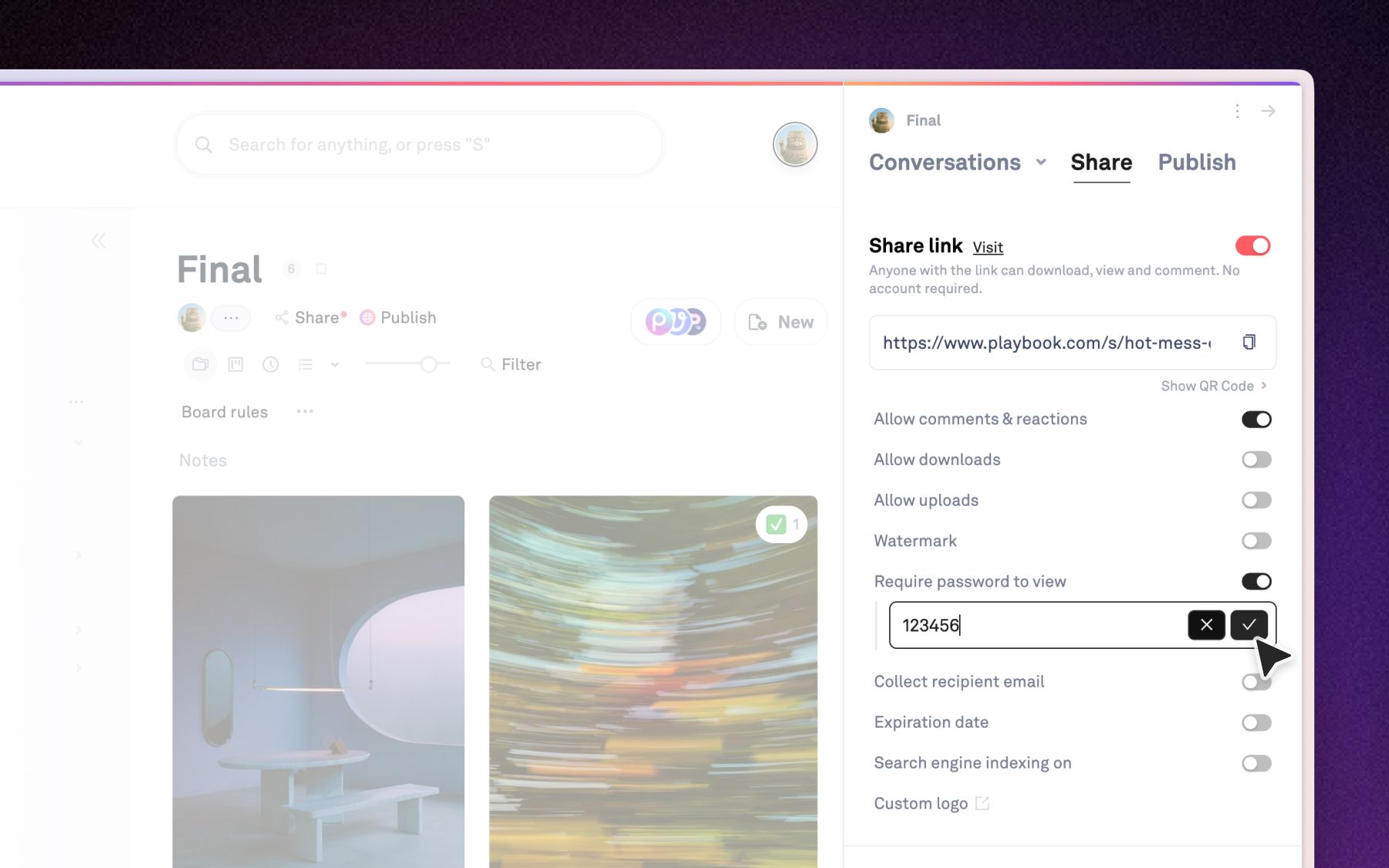
Toggle the link on and send it up the chain.
- Password and expiry: for anything under embargo.
- Watermark: for a cut leaving the building before it is locked.
- Downloads off: when stakeholders should watch, not distribute.
Expected behavior
Upload a new cut into the group and the published page plays the new one, on the same link. Nothing needs to be re-sent, and the earlier versions stay in the group for reference.