
Midjourney
Learn how to connect Midjourney through Discord so every generation saves itself to a Playbook board automatically.
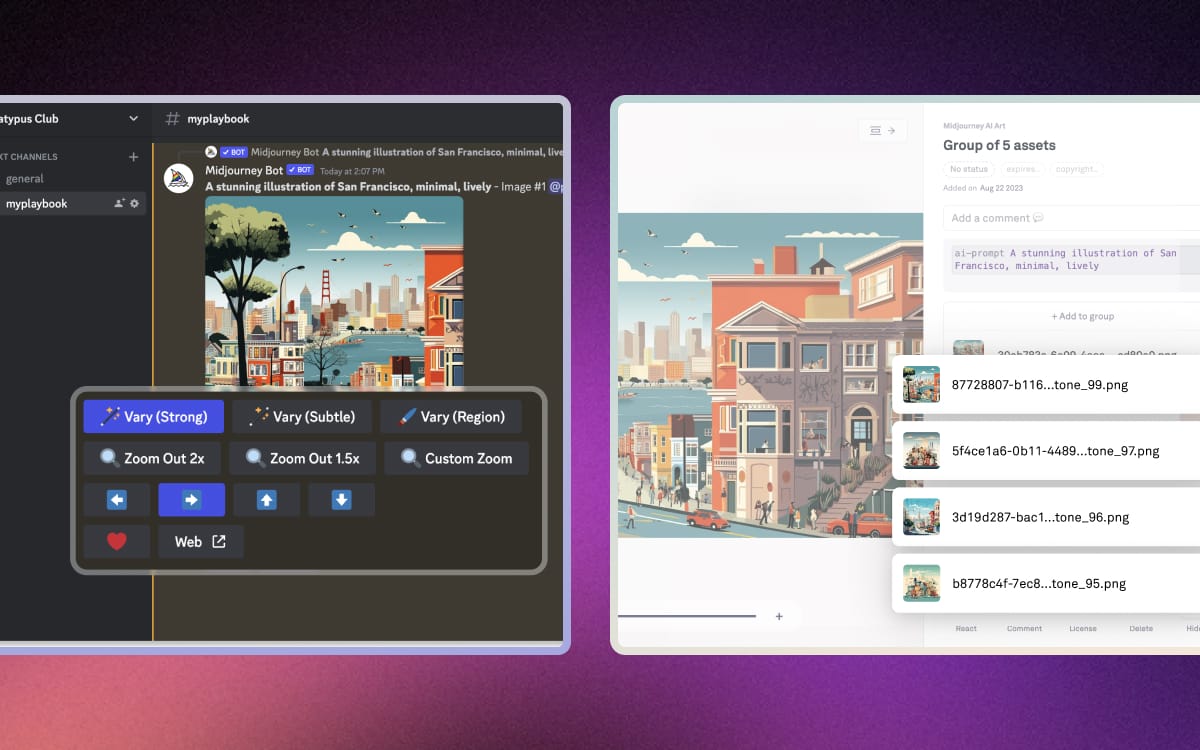
Midjourney generates in Discord, which is a bad place to keep anything. A Playbook bot watches the channel you point it at and files every generation onto a board as it appears, so the output is searchable and shareable instead of scrolling away.
Set up a Discord server
The connection watches a channel, so Midjourney needs to be running in one you control.
- Use a personal server: create your own Discord server rather than generating in a shared public channel.
- Invite Midjourney to it: install the Midjourney bot into that server so generations land in your channel.
Connect a board
From Playbook, open Apps, choose Midjourney, and connect the board you want generations to land on.
- Pick the destination first: everything the bot sees goes to that board, so give it one that matches the project.
- Start generating: new images in the channel import on their own from that point.
What arrives
The import keeps the context that makes a generation useful later.
- Variations grouped: a set of variations arrives stacked together rather than as four unrelated files.
- Prompts attached: the prompt travels with the image, so you can find a generation months later by what you asked for.
Generating elsewhere? ComfyUI saves renders straight out of a graph.